Unplug, cool and find the tray instructions
Crumbs visible through the slots are not a reason to reach inside. This guide deliberately stops at the removable crumb tray and exterior; it does not cover internal cleaning, stuck-food removal or repairs.
Unplug the toaster and let it cool completely. KitchenAid’s Pro Line instructions require unplugging and cooling before cleaning. Then check your model’s manual for the tray location, removal method and permitted cleaning method. If you cannot identify a user-removable tray, stop rather than undoing screws or forcing a panel.
Empty the removed tray, then check whether it can be washed
The crumb tray is the shallow removable part that collects fallen crumbs. Swan’s support article says its trays are usually at the bottom or rear, but use your own manual to locate yours.
- Remove. Follow the model’s release instructions and slide the tray out gently. If it catches, check the instructions instead of pulling harder.
- Empty. Hold the detached tray over a bin and tip out the loose crumbs. Keep the toaster itself upright.
- Clean and dry. Use only the method allowed for that tray. Swan describes wiping with a damp cloth and letting the tray dry before reinserting it. KitchenAid specifies hand washing only for the Pro Line tray; that is not dishwasher permission or a rule for every toaster.
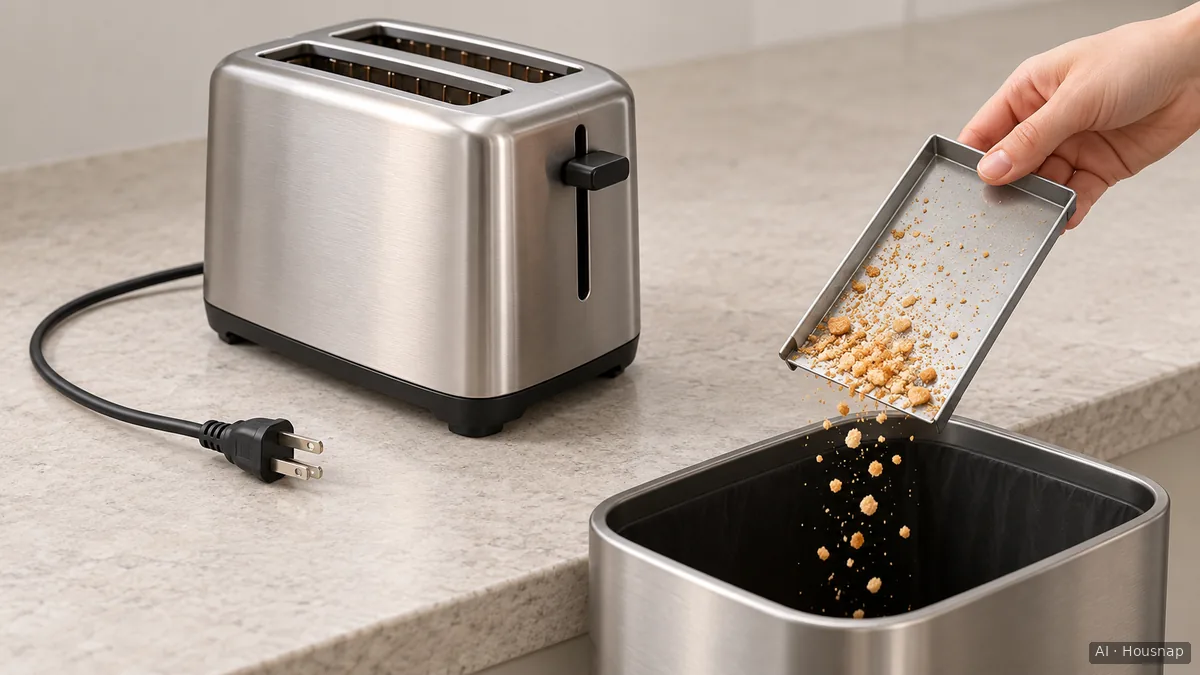
The illustration shows emptying a detached tray, not how to release a particular model’s tray. It does not demonstrate washing permission. Do not pour water into the toaster or turn it upside down for liquid cleaning.
Choose the cloth before adding any cleaner
For the Pro Line exterior, KitchenAid specifies a soft, damp cotton cloth and excludes paper towels, abrasive cleansers and liquid cleaning products. It also prohibits immersing the toaster in water. A suitable clean cotton cloth you already own is enough for that method; buy one only if you lack it.
Finish-specific instructions matter. Dualit’s Classic guidance calls for a damp cloth followed by a soft dry cloth on its aluminium end castings. It permits stainless steel cleaner on the central cover, but warns that the same cleaner can discolour the end castings. A shiny exterior is not enough to identify the permitted treatment.
For this routine, keep the cloth on the exterior and keep liquids out of the slots. Do not add a cleaner unless your model’s instructions allow it on that exact surface. Dualit explicitly prohibits chemicals and liquids inside the slots.
If you need a new cloth and are unsure which material suits your other cleaning jobs, read how to choose between microfiber and cotton cleaning cloths. Your toaster’s specified cloth still takes priority.
Refit the dry tray, or stop if something is wrong
Let the cleaned tray dry before refitting it. Follow your model’s seating instructions: the Pro Line tray clicks into place, and KitchenAid says not to operate the toaster without it properly positioned. Other models need not make the same sound, so do not force a tray to produce a click.
If the tray will not refit or deposits remain beyond the removable tray, leave the toaster unplugged and ask the manufacturer how to proceed. Reaching through the slots is outside this guide.
Damage is also a stopping point. Dualit tells owners not to use a damaged toaster and to switch off, unplug and contact it if an unusual smell or sparking occurs during use. Do not treat those signs as a reason to clean deeper or run a test cycle.
Hoe deze gids is opgebouwd
This guide was written by AI for Housnap using official KitchenAid, Dualit and Swan support pages. Its scope is deliberately limited to an owned toaster’s removable crumb tray and exterior, with model-specific permissions kept separate; it does not report hands-on testing.