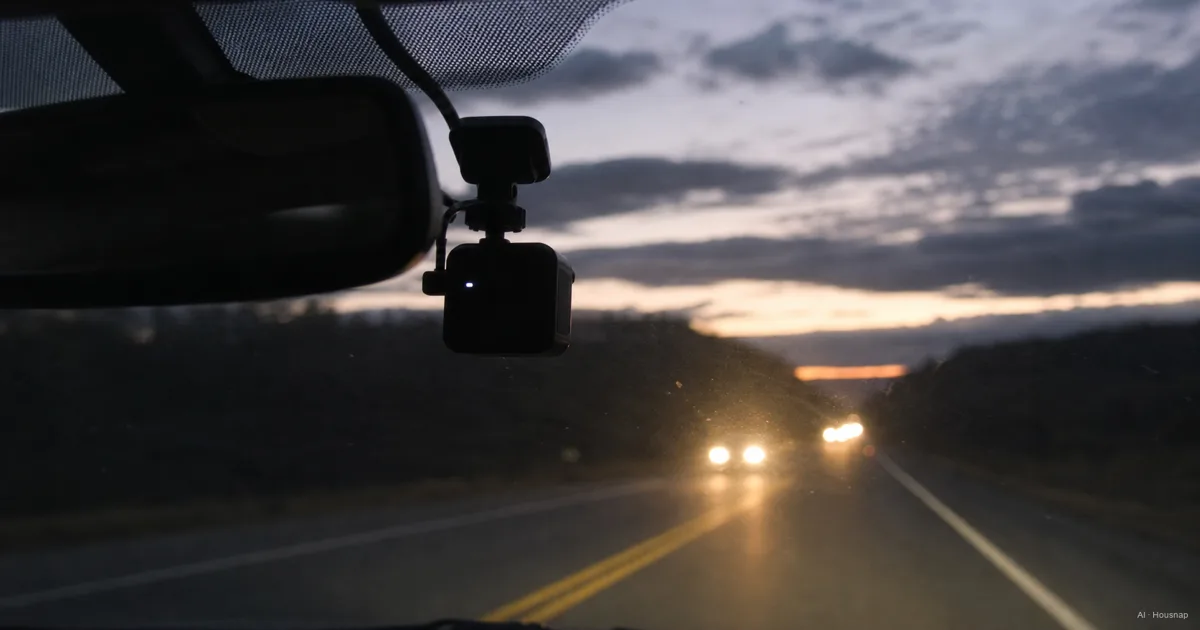
Choose the views you need to record
Write down what you want to see afterward: the road ahead, traffic behind, or activity inside the car. That gives you a more useful shortlist than choosing the largest channel number.
- Front only. Choose this when recording ahead meets your needs and you accept having no dedicated rear view.
- Front and rear. Start here when you want recordings in both directions. Confirm that the package includes the rear camera and its cable.
- Front, rear and cabin. Consider this when activity inside the vehicle also matters. Check the interior camera's nighttime recording method.
Read the camera positions as well as the channel count. Two channels can mean front plus rear or front plus cabin. As one concrete example, the VIOFO A229 Pro 3CH records all three views and uses infrared illumination for black-and-white cabin footage in low light. Those features belong to that configuration, not to every three-channel camera.
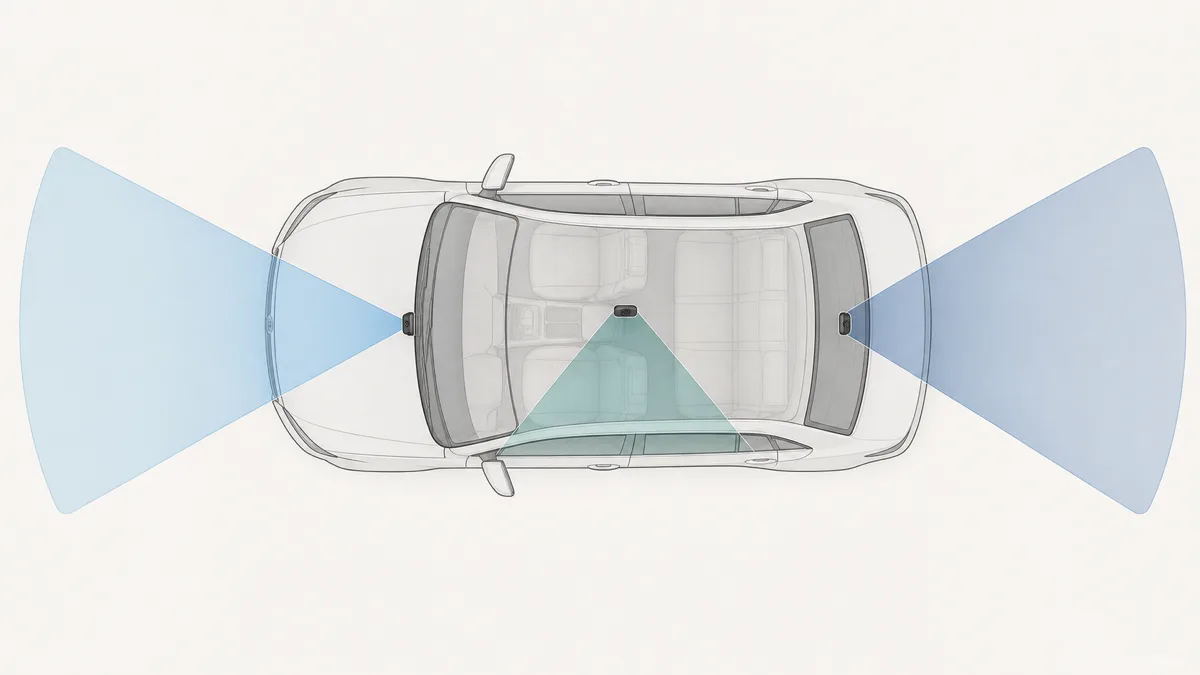
Use the diagram to choose directions, not to assume complete coverage around the vehicle. Before ordering, ask the installer where each camera can sit and whether the supplied cables suit your car.
Decide whether parking recording is worth the installation
If you only need recordings while driving, compare that setup first. If unattended parking is part of the reason for buying, settle the power arrangement before choosing a camera.
A compatible hardwire kit can supply power through the fuse panel. Check where low-voltage protection resides: it may be in the camera or an accessory. BlackVue's parking-mode documentation describes power shutting off at a configured voltage or timer limit. Treat that cutoff as the point recording stops, not a promise of all-night coverage.
A dedicated dash-cam battery is another option. Check its charging connection and camera compatibility before buying; a separate battery does not automatically mean an installation without wiring. BlackVue documents both socket and hardwired charging for its Ultra Battery.
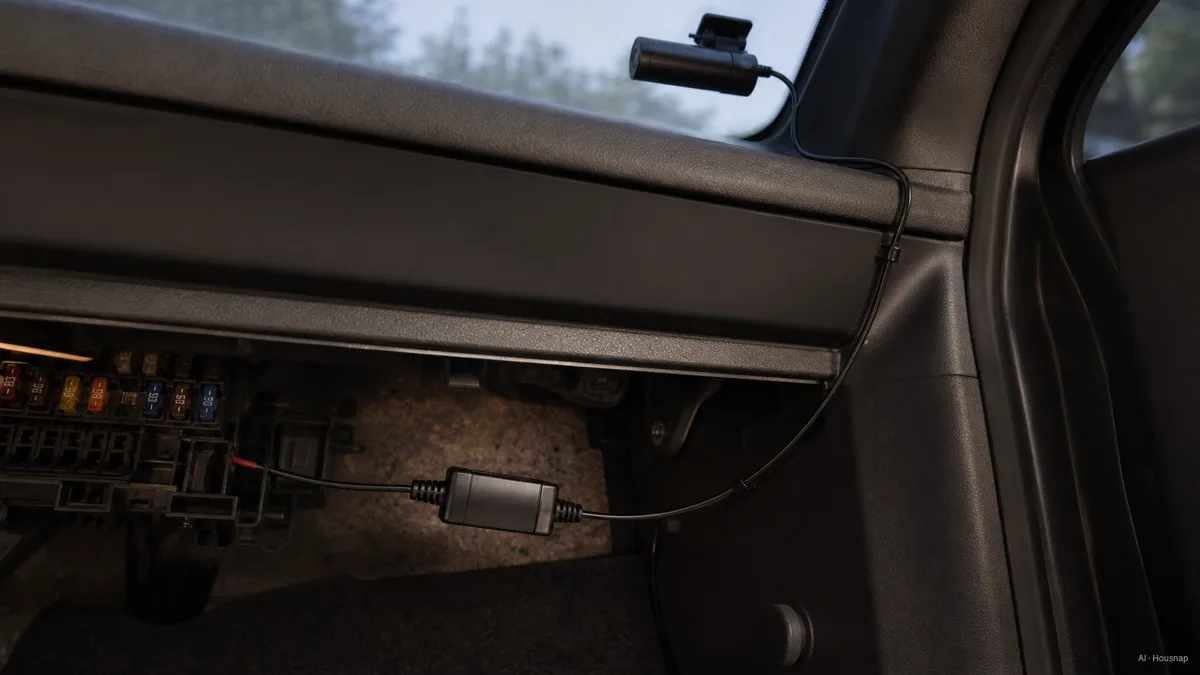
The illustration explains the power path, not which fuse to use. If you cannot confirm the vehicle's wiring and the kit instructions, include professional installation in the budget.
Also ask what “parking mode” saves. Buffered event recording includes footage from before a trigger; time-lapse and continuous low-bitrate recording serve different needs. VIOFO's explanation describes time-lapse as accelerated, silent playback and low-bitrate mode as continuous recording with reduced image quality. Choose the mode that records the kind of event you are concerned about, then check its limitations in the model's manual.
Compare recordings, not just the 4K label
Read the resolution of every camera while all your chosen channels are running. For example, VIOFO specifies the A229 Pro 3CH at 3840 × 2160 front, 2560 × 1440 rear and 1920 × 1080 cabin, each at 30 frames per second. “4K” on the listing does not describe all three views.
For those dimensions, a 4K frame contains four times as many pixels as a 1080p frame. That is pixel count, not four times the readable detail or a guaranteed plate-reading distance.

This is an explanatory illustration, not footage from a camera comparison. Use original sample recordings to judge a purchase:
- Daylight. Pause moving traffic footage and inspect the front and rear views separately. Compare the area covered as well as the detail you can read.
- Night. Look for moving vehicles and headlights, not only a stationary, well-lit scene.
- Settings. Check the channel count, resolution, frame rate and HDR setting used for the sample. Ask whether that combination is available on the version you are buying.
STARVIS 2 identifies sensor technology; Sony explains its back-illuminated structure, which places the light-sensitive elements above the wiring layer. It is a useful specification to investigate, not a complete camera performance score.
HDR combines exposures to handle bright and dark areas, and exposure time also matters for moving detail, as VIOFO's HDR explanation describes. The buying judgment here is to pay more for 4K when comparable samples show a useful improvement for your driving conditions, rather than treating resolution or a sensor name as a guarantee.
Finish the purchase with storage and a way to save footage
Choose the memory card from the camera maker's compatibility guidance, including capacity and speed requirements. A high-endurance card is designed for repeated recording; Kingston's data sheet identifies dash cams as a write-intensive application. Endurance does not replace the camera's other card requirements.
If the symbols on the card are the remaining obstacle, read how microSD speed classes work. Use that explanation alongside the requirements for your exact camera.
Before checkout, compare the complete setup: cameras and cables, suitable card, parking-power accessories if needed, and installation. Ask the seller to resolve any missing item instead of assuming it is in the box.
Finally, check how to protect and export a clip. The Garmin Dash Cam Live manual illustrates the distinction: ordinary unsaved footage is overwritten when storage fills under its default setting, while saved recordings should be transferred to a phone or computer. After installation, make a short recording from each camera and practice exporting it. A configuration you can retrieve footage from is the one you are ready to use.
Cómo se elaboró esta guía
AI wrote this guide for Housnap using manufacturer documentation from VIOFO, BlackVue, Garmin, Sony and Kingston. It turns documented recording, power and storage differences into a first-purchase checklist; the selection priorities are editorial judgments, not results from hands-on product testing.