WiFi Mesh vs Range Extender, What to Buy for Your First Coverage Fix
You already know the room. The one where a video call freezes, the smart TV buffers, or your phone quietly drops to one bar. The fix everyone suggests first is a range extender, because it is cheap and it is everywhere at the store. Nobody mentions that plugging one in can cut your speed in that exact room almost in half. Mesh WiFi gets pitched as the upgrade, but it costs more and the marketing rarely explains why it actually works differently, not just "better." The honest answer sits in one word: backhaul, the connection nodes use to talk to each other. Get that one concept and the rest of the decision becomes simple math about your house. This guide walks through what an extender actually does to your signal, how mesh backhaul avoids that penalty, when each option genuinely wins, what they cost in 2026, and a short checklist to run before you buy either one.

Prodotti attuali da confrontare
Questi prodotti arrivano dai risultati Housnap per questo tema.

What a WiFi Extender Actually Does, and Why Speed Drops
A range extender's job sounds simple. It sits between your router and the dead zone, catches the existing WiFi signal, and rebroadcasts it further into the house. The problem is what "catches and rebroadcasts" costs.
Most extenders use a single radio to do both jobs, listen to the router and talk to your device, on the same channel. Every device connected through the extender is effectively sharing that one radio's airtime twice over, once to receive the data and once to resend it. TP-Link's own comparison of the two technologies and signalboosters.com both point to the same rough math: a 300 Mbps signal at the router commonly drops to somewhere around 120 to 180 Mbps by the time it reaches a device through an extender.
Latency takes a hit too. Extenders typically add another 10 to 40 milliseconds on top of a direct connection, according to OneSDR's testing. That is small enough to ignore for casual browsing, but it is exactly the kind of lag that makes a video call stutter or throws off timing in a fast-paced game.
None of this makes extenders bad. It makes them a specific tool. If your problem is one small room with a weak-but-present signal, and the fix just needs to nudge that signal a bit further, an extender's speed penalty may never actually matter in daily use.
How Mesh WiFi Backhaul Avoids the Bandwidth Penalty
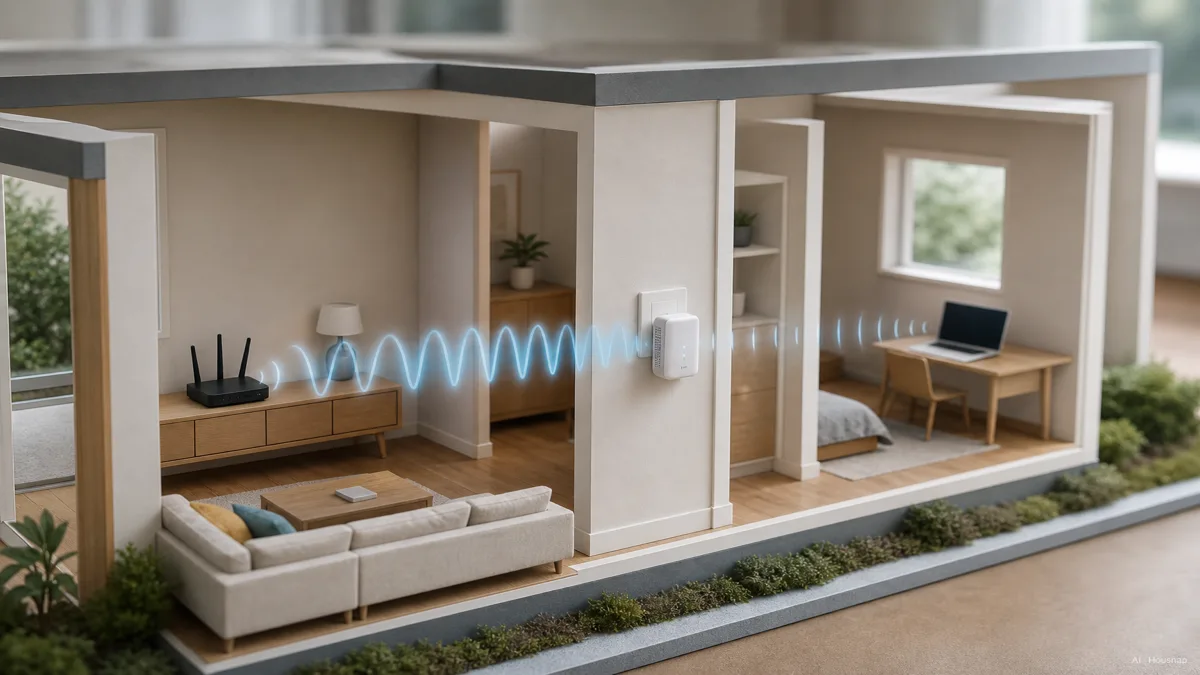
Mesh systems solve the same coverage problem with a different structure. Instead of one device catching and rethrowing a signal, mesh uses multiple nodes placed around the house that talk to each other over a dedicated connection called the backhaul, separate from the connection your phone or laptop actually uses, as NETGEAR explains in its extender-versus-mesh breakdown.
That separation is the whole trick. On a tri-band or quad-band mesh system, one radio band can be dedicated entirely to node-to-node backhaul traffic, so client devices never have to share airtime with the traffic moving between nodes. Netgear's own Orbi line works this way. Dual-band systems, including most TP-Link Deco kits, generally share bands between backhaul and client traffic unless you manually dedicate one, which narrows but does not erase the advantage over an extender.
The practical result, per OneSDR's comparison and modemguides.com, is that mesh systems with a dedicated backhaul typically hold onto 60 to 80 percent of router-level speed even a couple of hops away, versus the roughly 50 percent an extender commonly loses in one hop. Added latency also stays modest, around 3 to 8 milliseconds, closer to what a direct connection feels like.
There is a second, quieter advantage. Mesh nodes share one network name, so your phone roams between them automatically as you walk through the house. Extenders often broadcast a second network name, which means manually switching networks room to room, something Astound's comparison flags as a common source of frustration people do not expect until they already own one.

Coverage, Device Count, and Latency, When Each Option Wins
The decision comes down to three questions about your specific home, not brand loyalty or spec sheets.
How many dead zones do you have. A single room with a borderline signal is the classic extender case. Multiple dead zones, especially on different sides of the house, ask more of a single extender than it can comfortably deliver, and stacking several extenders tends to create more roaming headaches than it solves.
How many floors are involved. Signal has to fight through more material vertically than it does across an open floor. D-Link's guidance and NETGEAR's both land on the same rule of thumb: multi-floor homes lean mesh, because you can place a node on each level rather than asking one signal to punch through ceilings and floors.
How many devices are competing for bandwidth. An extender handles roughly 8 devices comfortably and starts to strain past around 20. Premium mesh systems support 100 to 150 or more simultaneous connections, which matters more than it sounds like it should. The average 2026 US household connects somewhere around 20 to 25 devices, per guidespot.com's device-count research, which is already past where a typical extender feels smooth.
One quick gut check both TP-Link and NETGEAR use in their own buying guides: if the dead zone is small, close to the router's existing reach, and only a device or two ever uses it, an extender is a reasonable, inexpensive fix. If you are dealing with multiple dead zones, more than one floor, or a house full of streaming devices, smart home gadgets, and people on video calls at the same time, mesh earns its higher price.
Cost Comparison, Entry Extender vs Entry Mesh Kit in 2026
Price is where the gap actually shows up on a shelf tag, not just in a spec sheet.
A basic WiFi extender runs roughly 30 to 60 dollars per unit, according to guidespot.com's 2026 pricing roundup. That is a low-commitment way to test whether boosting a signal even solves your problem, which is part of why extenders remain popular for a single stubborn room.
Entry-level mesh kits, typically two or three nodes, start around 200 dollars. Newer WiFi 7 tri-node mesh kits run closer to 350 dollars, reflecting both the extra node and the more capable radios inside, per NETGEAR's current lineup. Eero, TP-Link Deco, and Netgear Orbi all offer both wireless and wired Ethernet backhaul options, and premium tiers add multi-gig Ethernet ports, Tom's Hardware notes ports up to 10 Gbps on the eero Max 7 and up to 11 Gbps aggregate on Orbi's 770 series, aimed at households already paying for a multi-gig internet plan.
The honest framing is that an extender is a patch and a mesh kit is closer to a whole-home network replacement. Neither price is wrong, they are solving different-sized problems.

Quick Decision Checklist Before You Buy
Before adding anything to your cart, walk through this in order.
- Count your dead zones. One small area, lean extender. Two or more, or spread across different sides of the house, lean mesh.
- Count your floors. Single level with one weak corner, extender can work. Multiple floors, mesh nodes per level tend to perform far more consistently.
- Count your devices. Under about 10 devices total, either option can cope. Past 20, especially with several 4K streams or smart home devices running at once, mesh's device-capacity headroom starts to matter.
- Check for a dedicated backhaul band. If you are comparing mesh kits, a tri-band or quad-band system with a dedicated backhaul preserves more speed than a dual-band system sharing everything.
- Decide if wired backhaul is possible. Running Ethernet between mesh nodes, even just one, removes the wireless backhaul question entirely and gets you close to full router speed at every node.
None of this requires guessing. Walk your house, count the trouble spots, and match the answer to the option built for that size of problem.
Sources
- WiFi Extender vs Mesh WiFi, Which is Better? — NETGEAR; how mesh backhaul separates node-to-node traffic from client traffic, and automatic roaming under one network name
- Mesh Wi-Fi vs. Range Extender, Full Home Upgrade or Targeted Fix — TP-Link US; why single-radio extenders roughly halve throughput, and the small-dead-zone rule of thumb
- WiFi Extender vs Mesh WiFi, Which is Better? — D-Link; multi-floor coverage guidance favoring mesh node placement per level
- Mesh WiFi vs WiFi Extenders, What's the Difference? — Astound; automatic roaming under mesh versus manual network switching on extenders
- Netgear Orbi 370 Wi-Fi 7 Mesh Router Review — Tom's Hardware; dedicated backhaul bands and multi-gig Ethernet ports on premium mesh tiers
- Mesh Wi-Fi vs Range Extenders, Which Actually Works Better? — OneSDR; measured throughput retention and added-latency comparisons between mesh and extenders