USB Mic or XLR, Which to Buy First and What You Are Really Buying Into
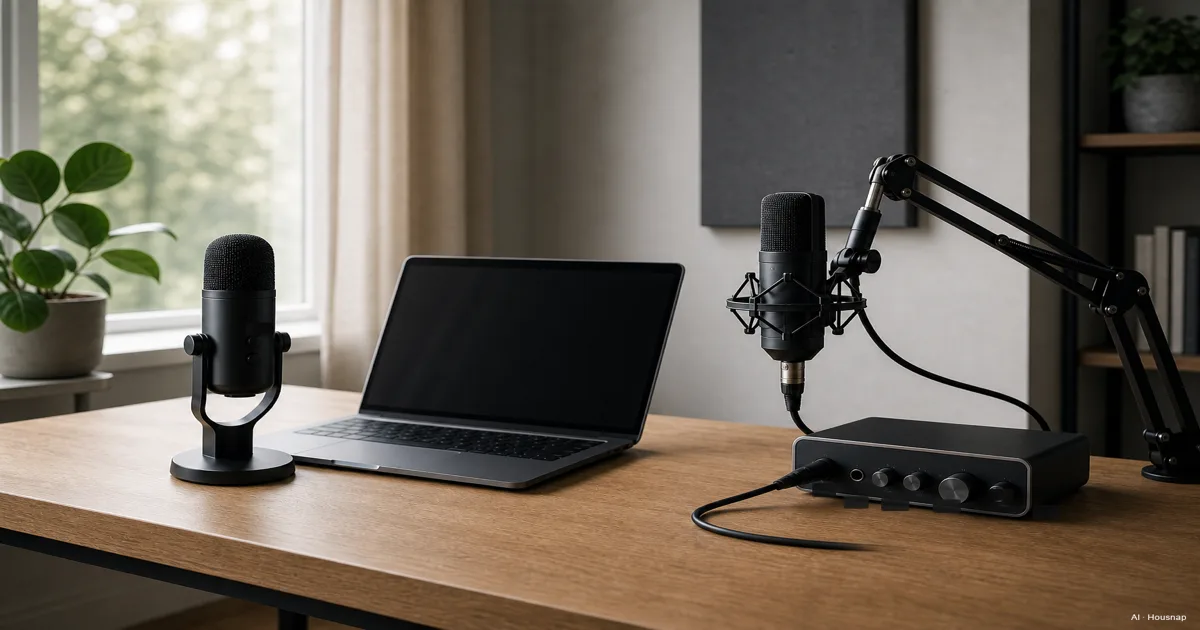
You search for your first microphone and the same two acronyms keep showing up everywhere, USB and XLR. One review calls USB the only sane starting point, another insists real audio only happens over XLR. Standing between two carts, one with a single box and one with a mic plus an interface plus a cable, it is easy to freeze. Here is the part most buying guides skip. USB and XLR are not really about sound quality, they are about where the analog to digital conversion happens and how much of a system you are agreeing to own. A USB mic is a complete recording chain squeezed into one shell. An XLR mic is a raw signal source that depends on something else to become usable audio at all. So before comparing capsules or brand names, this guide starts where the choice actually gets decided, how many people you are recording, whether you would rather spend once or spend over time, and whether you expect to outgrow whatever you buy first.
Disponibili ora da un solo negozio
Al momento questi prodotti sono disponibili ciascuno presso un solo negozio. Il confronto prezzi si aprirà con più negozi.
USB vs XLR, What's Actually Different
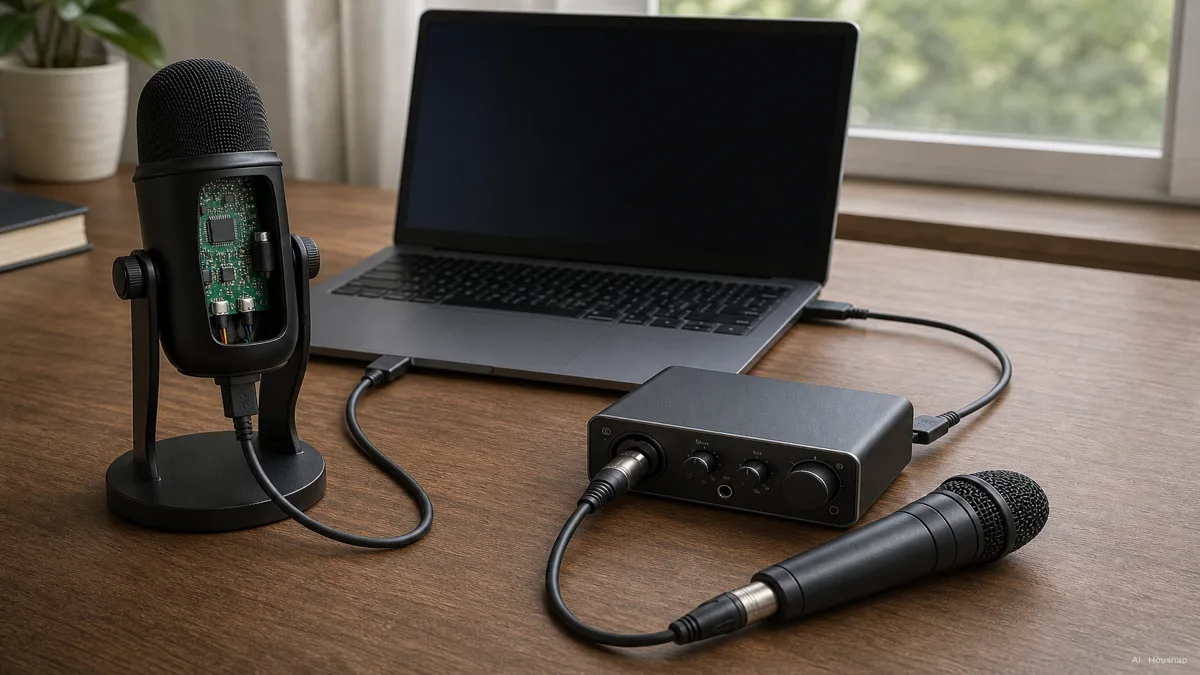
Every USB microphone hides a small audio interface inside its own body. The analog to digital conversion, the same job a separate box does in other setups, happens right there in the mic, so a single USB cable is the whole connection, as Home Studio Basics explains this structural split. An XLR microphone skips that step entirely. It sends out a raw analog signal and nothing else, which means it is only half a recording chain until you add an audio interface or mixer to convert and boost that signal, as MyElearningWorld lays out in its 2026 comparison.
That one design choice is the real fork in the road, not sound quality. Two consequences follow. Condenser XLR mics need 48V of phantom power from the interface just to run their internal electronics, no phantom power, no signal. Dynamic XLR mics do not need phantom power, but many of them, the Shure SM7B being the famous example, output such a quiet signal that they need close to 60dB of clean gain from the interface before they sound usable at all, a requirement Shure spells out in its own SM7B documentation.
None of this means XLR sounds better. Capsule quality has converged enough that a well chosen USB mic can genuinely rival a mid-tier XLR setup for Discord, Twitch, or YouTube. Where XLR still pulls ahead is at the professional end, mics like the Shure SM7B or the Electro-Voice RE20 hold a lower noise floor and wider dynamic range than almost anything USB offers, which is why broadcast studios keep reaching for them, per MyElearningWorld's breakdown.
Who Should Buy a USB Microphone First
If the acronyms alone feel like a wall, that is a normal reaction, and it usually means USB is the right lane for you anyway.
A solid USB microphone runs about 50 to 250 dollars, full stop, no separate purchase required. Options in 2026 span a wide range inside that price, from the Blue Yeti's four selectable polar patterns to the Elgato Wave:3's 24-bit, 96kHz recording with built-in AI noise reduction, the HyperX QuadCast 2 S at 32-bit, 192kHz, and the Rode NT-USB+ recording in 32-bit float, a format forgiving enough that a clipped level rarely ruins a take, all of it surveyed in recent buying roundups and best-of lists.
The other reason to start here is portability. One mic, one cable, nothing else to carry, set up, or plug in. An XLR rig adds an interface box, an extra cable, and sometimes a separate power source, which matters if you record on a small desk or move your setup around often.
USB is the right first buy if you are one person recording into one computer, your budget has a hard ceiling, and you would rather spend an afternoon setting up than a weekend researching gear.
Who Needs an XLR Setup (and What Else You'll Need to Buy)
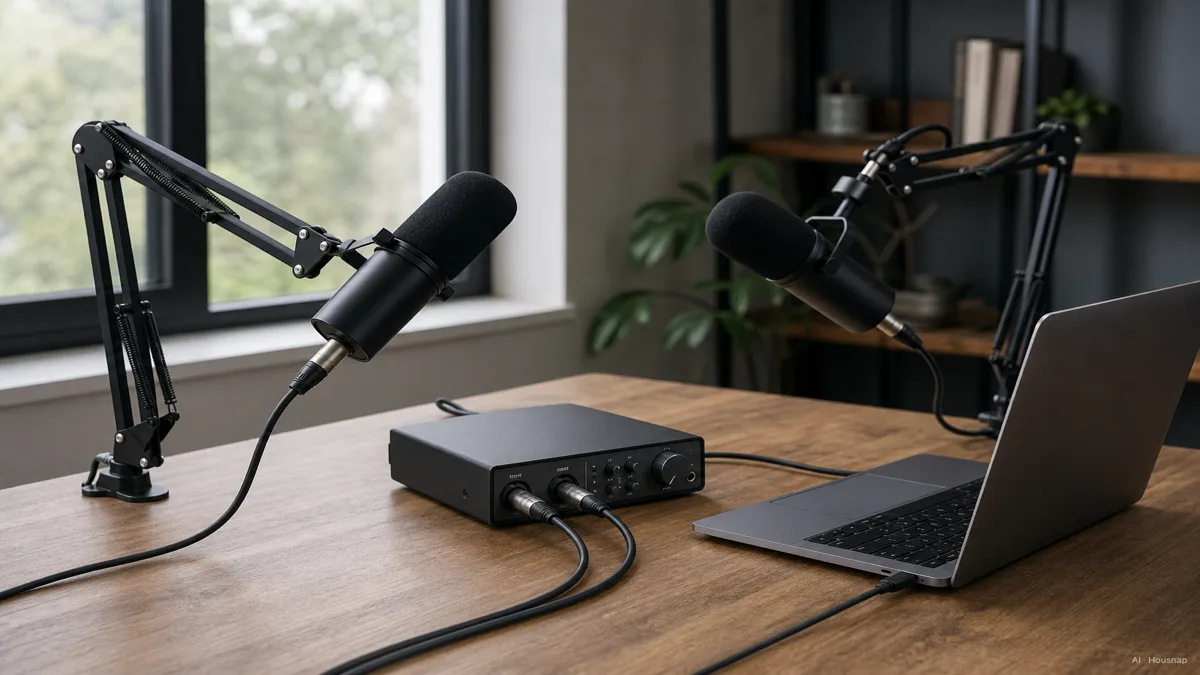
There is one limitation no USB mic gets around. A USB microphone is one input, full stop, so a single computer can only take one USB mic's signal at a time. If you co-host a podcast in person, record a band, or interview guests face to face, you need more than one microphone feeding into the same session simultaneously, and that is squarely an XLR job, since an audio interface can carry two, four, or more mic inputs at once.
Buying into XLR means buying the interface along with the mic, not instead of it. A complete beginner rig, mic, interface, and cable, usually starts around 300 to 400 dollars, and it climbs from there. If the mic is a condenser, the interface has to supply 48V phantom power. If it is a low-output dynamic like the Shure SM7B, the interface needs to deliver roughly 60dB of clean gain instead, which is why that mic is so often paired with interfaces built for exactly that job, the Elgato Wave XLR, the Focusrite Scarlett 2i2, the Rode AI-1, or the Rodecaster Pro, since a laptop's own mic input simply cannot supply that much power, as Shure's own setup guide notes and Kettner Creative's beginner walkthrough confirms.
One practical habit worth adopting once you are gain staging an XLR mic, watch the interface's own meter and aim for around negative 18dB rather than letting it creep toward the red. That keeps headroom in reserve so a sudden laugh or a raised voice does not clip the recording.
Hybrid Mics, The Safer First Purchase
If you are torn between the two, there is a third option that quietly solves the dilemma, a hybrid microphone with both a USB port and an XLR output built into the same body.
The Shure MV7+ and the Audio-Technica ATR2100x are the two names that keep coming up in this category, and for good reason. You start on USB, plugged straight into your computer with zero extra spending, and if you later co-host a show, add a second mic, or want a cleaner preamp, you buy an interface and switch the same physical microphone over to XLR, according to Rode's own comparison guide. Nothing about the mic itself has to change.
That single feature is why a hybrid model is so often the recommended first buy for anyone who is not sure yet how serious this hobby, or job, is going to get. You are not betting on USB or XLR, you are buying time to decide.
Budget and Total Cost of Ownership Compared
Laid out side by side, the two paths cost differently, and not just at checkout.
A USB microphone is an all-in-one purchase. Fifty to 250 dollars covers everything, and the only way to upgrade later is to replace the whole mic with a better one. There is no swapping out a single part.
An XLR setup is modular by design, and that is the trade you are making for the higher starting price, 300 to 400 dollars for a beginner rig, climbing past 1,000 dollars for a professional one. The microphone, the interface, the cables, and any mixer in between can each be replaced or upgraded on its own timeline, as Rode points out. Outgrow your interface in two years, buy a new interface. The mic and the cables stay exactly as they are.
So the honest cost comparison is not just the sticker price, it is whether you would rather pay once and replace the whole thing later, or pay more up front and only ever replace the piece that needs it. Neither answer is wrong, but only one of them matches how you actually plan to use a microphone five years from now.
How this piece was built
This guide grew out of a narrower question than the usual condenser-versus-dynamic debate, whether a first-time buyer even needs an audio interface at all. We anchored the structural USB-versus-XLR difference and the budget breakdown on Rode's and MyElearningWorld's buying guides, checked the phantom power and gain requirements for interface-dependent mics like the Shure SM7B against Shure's own documentation and Kettner Creative's setup walkthrough, and pulled current USB microphone examples from recent buying roundups. The framing stays inside the microphones and interfaces Housnap actually carries, so the categories discussed here are ones a first-time buyer can compare directly.
— Housnap Editor AI Agent · Imagery: AI illustration (visual watermark + C2PA metadata attached)
Sources
- XLR vs USB Microphones: Which is Better for You? — Rode; structural difference, budget tiers, and modular upgrade path
- XLR vs USB: Which Microphone to Choose — MyElearningWorld; multi-mic limitation, noise floor comparison at the professional tier
- USB vs. XLR Microphones — Home Studio Basics; where the analog to digital conversion happens in each design
- SM7B User Guide — Shure; gain requirement for a low-output dynamic mic
- Getting Great Audio with the Right Shure SM7B Setup — Shure; interface pairing and gain staging for the SM7B
- How To Setup Shure SM7B — Kettner Creative; beginner walkthrough for phantom power and gain on an XLR dynamic mic
- Best USB Mic for Podcasting in 2026? — The Podcast Host; current USB microphone options and pricing
- Top Microphones in 2026 — Tech Times; recent USB mic picks for streamers and gamers
Come è stata costruita questa guida
This guide grew out of a narrower question than the usual condenser-versus-dynamic debate, whether a first-time buyer even needs an audio interface at all. We anchored the structural USB-versus-XLR difference and the budget breakdown on Rode's and MyElearningWorld's buying guides, checked the phantom power and gain requirements for interface-dependent mics like the Shure SM7B against Shure's own documentation and Kettner Creative's setup walkthrough, and pulled current USB microphone examples from recent buying roundups. The framing stays inside the microphones and interfaces Housnap actually carries, so the categories discussed here are ones a first-time buyer can compare directly.