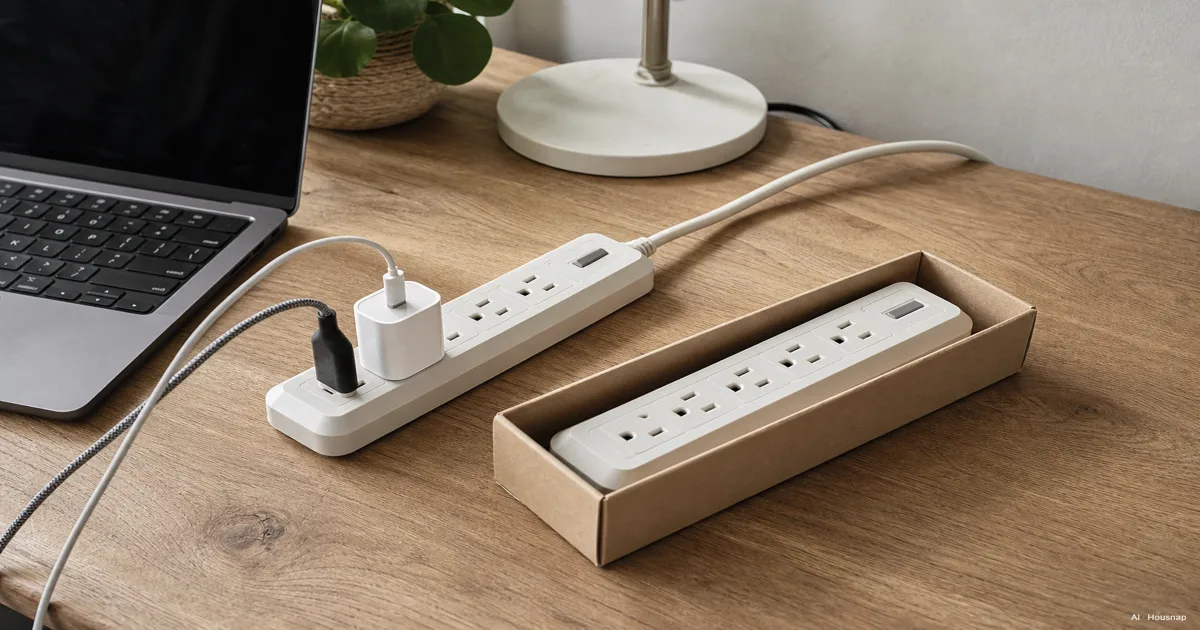
Choose the job before counting outlets
For a computer, TV or console, start with a surge-protected strip. A plain strip is an option when you only want extra sockets and accept that it adds no surge protection. Similar housings do not mean similar protection (UL Solutions).
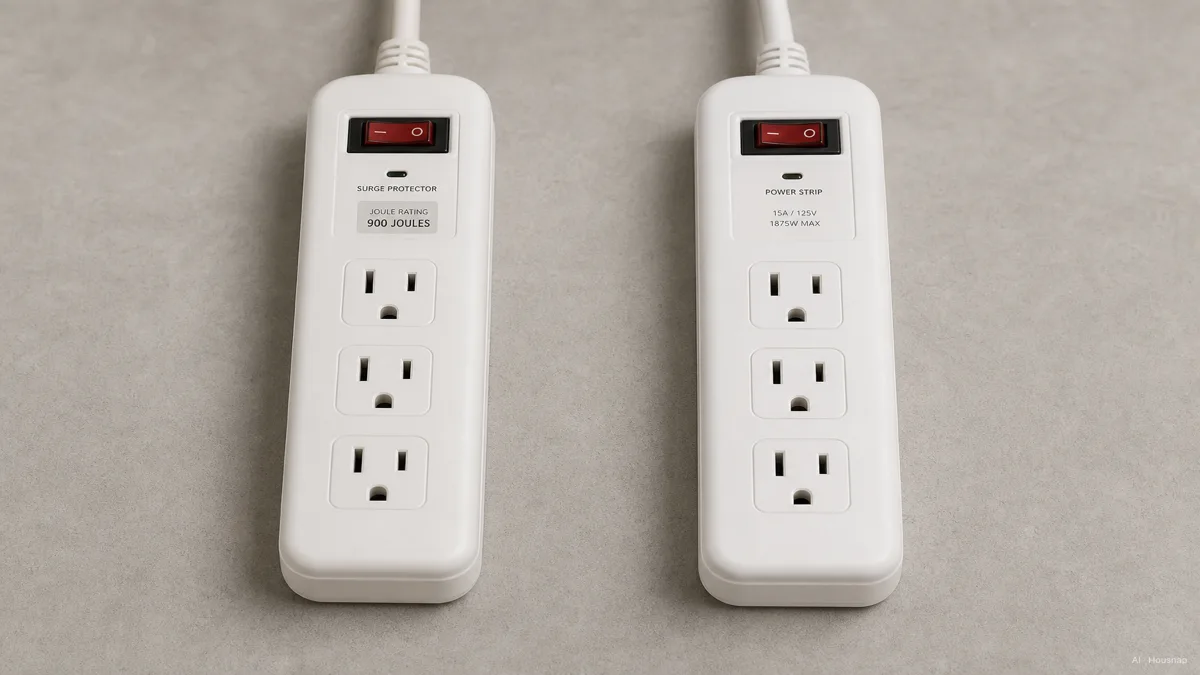
A switch or overload breaker is not proof of surge suppression. Check that the nameplate and manufacturer documentation actually identify the product as a surge protective device (Eaton).
Need power during an outage? Look into a UPS, a battery backup that can give you time to save work and shut down. A surge strip cannot do that (Schneider Electric). If your question is instead which portable battery to buy for use away from a working socket, continue with power stations versus power banks.
Check the connection and load first
Before buying either option, write down the equipment you will connect and check its input ratings. Add the loads in the same units and stay within the strip's stated limits. Six sockets are not six separate power allowances (UL Solutions).
- Appliance exception. Do not use either strip for a space heater. Major appliances also belong directly on wall outlets; follow the appliance instructions (ESFI).
- Voltage and plug. Choose a product intended for your local supply and socket. NEMA specifies matching the SPD's nominal voltage to the supply; a familiar certification mark alone does not establish compatibility (NEMA).
- Reach and spacing. Check room for bulky adapters and measure the route to the wall. Choose enough built-in cord length instead of adding an extension or chaining strips (Eaton).
Compare protection, not just the biggest joule number
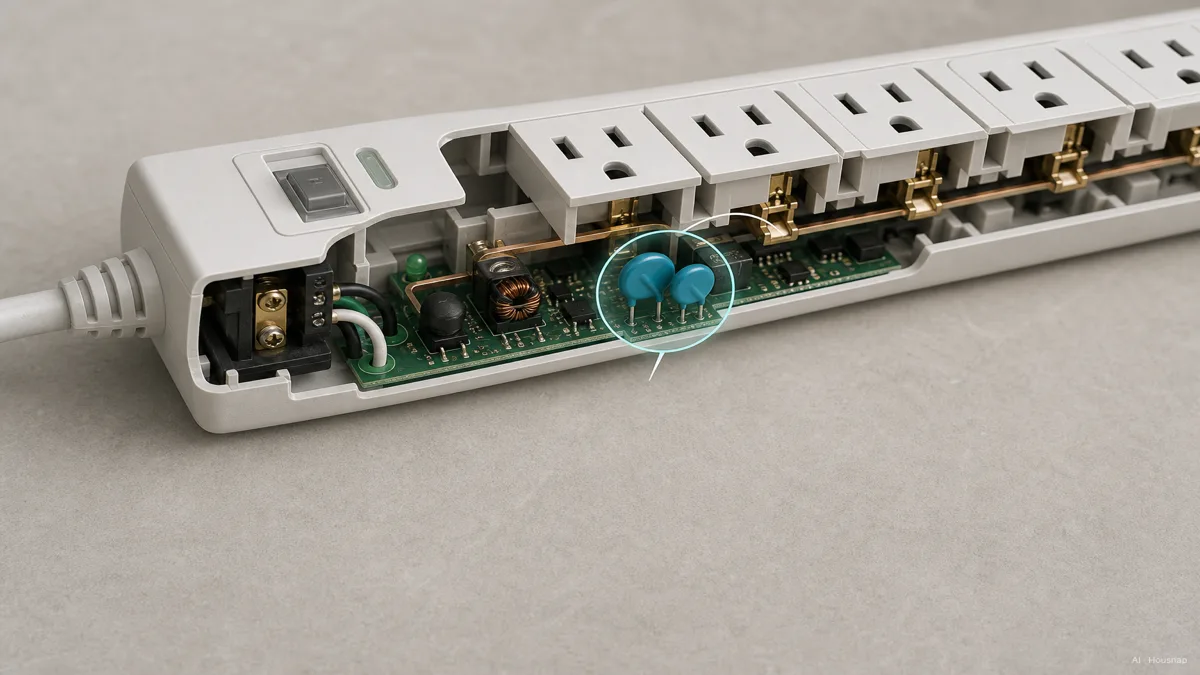
The cutaway illustrates MOVs, components commonly used to divert surge current and limit a brief voltage rise. Other protection technologies exist, so judge the documented performance rather than looking for one particular internal part (NEMA).
Use the label and the exact model's documentation together:
- Certification. For the US-market UL framework discussed here, confirm the complete product is listed as an SPD to UL 1449. Recognition of an internal component is different (NEMA). For another market, check the certification applicable there.
- VPR. This voltage protection rating summarizes a standardized limiting-voltage test. Compare like types and operating voltages; a lower comparable rating means less voltage gets through (NEMA; Eaton).
- Joules. This is an energy rating, not a countdown of remaining protection (Eaton). NEMA warns that joule comparisons can mislead when measurement methods differ. A missing joule figure alone does not prove the product is a plain strip (NEMA).
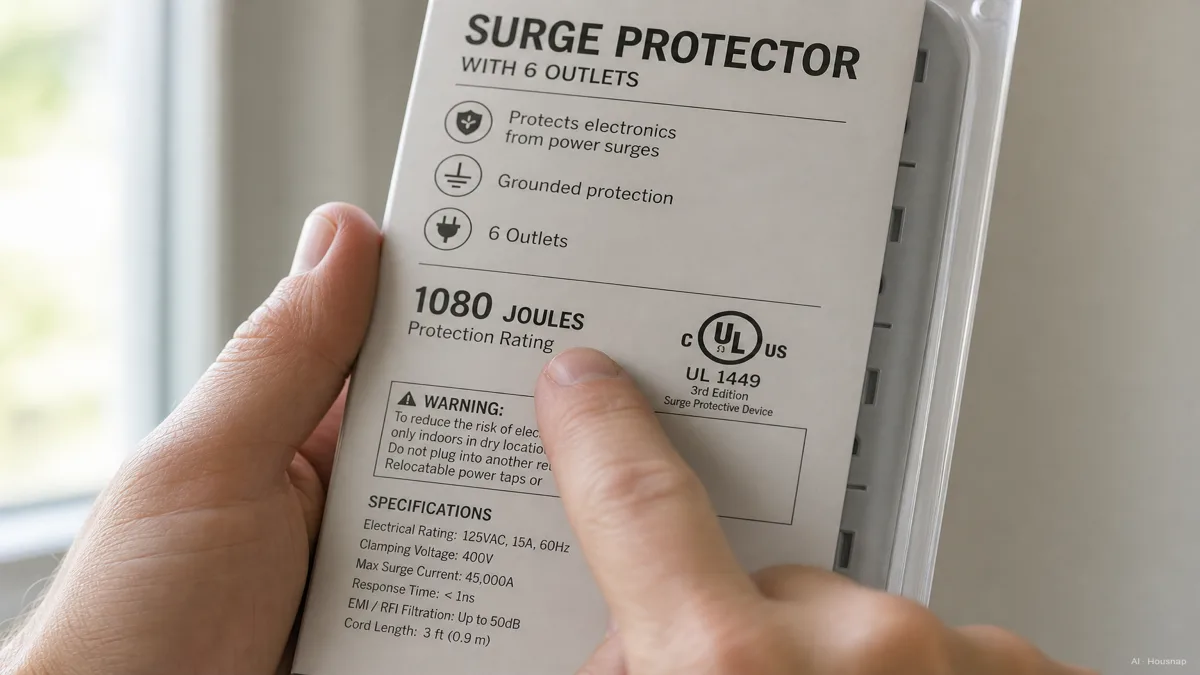
The packaging illustration shows what to investigate, not a verified certification label for a product on sale. Once compatibility and certification are clear, prefer documentation that explains the protection indicator and what happens when protection fails. Some models cut power automatically; others do not (Eaton buying guide).
Buy with a clear replacement signal
Keep the protection indicator visible. Read its label: a power light and a protection light answer different questions. For the Belkin models covered by its guidance, a Protected light that goes out during powered operation means replacement is needed, even if the sockets still work. Grounding warnings call for an electrician (Belkin).
Stop using a unit with damaged insulation, cracks or melting. Do not judge it by whether a phone still charges (UL Solutions; Eaton). Follow the model's replacement instructions: surge exposure varies, so a universal three-to-five-year promise would be misleading (Eaton buying guide).
Come è stata costruita questa guida
Written by Housnap AI using UL Solutions, NEMA, ESFI and manufacturer guidance from Eaton, Belkin and Schneider Electric. The editorial focus is choosing between outlet expansion, surge suppression and backup power; UL-specific explanations use a US-market framework. This is a documentation-based guide, not a product test.