NVMe vs SATA SSD, How to Pick Your First Drive
Shopping for your first SSD, you run into three words that get tangled together fast: NVMe, SATA, and M.2. People talk about them like they are competing brands, but they are not the same kind of thing at all, and that mix-up is where most first-time buyers get stuck. Here is the short version. SATA and NVMe are protocols, the language a drive uses to talk to your computer. M.2 is just a shape, a small stick that slots onto the motherboard. An M.2 drive can speak either language, which is exactly why the names blur together. The speed gap between the two protocols is real and large. But faster is not automatically the right buy. The drive that suits a new gaming rig is not the one that suits an old laptop or a network drive humming in a closet. So this guide untangles the three words first, then shows how much the speed actually matters in real use, and finishes with a simple way to land on the right drive before you pay.
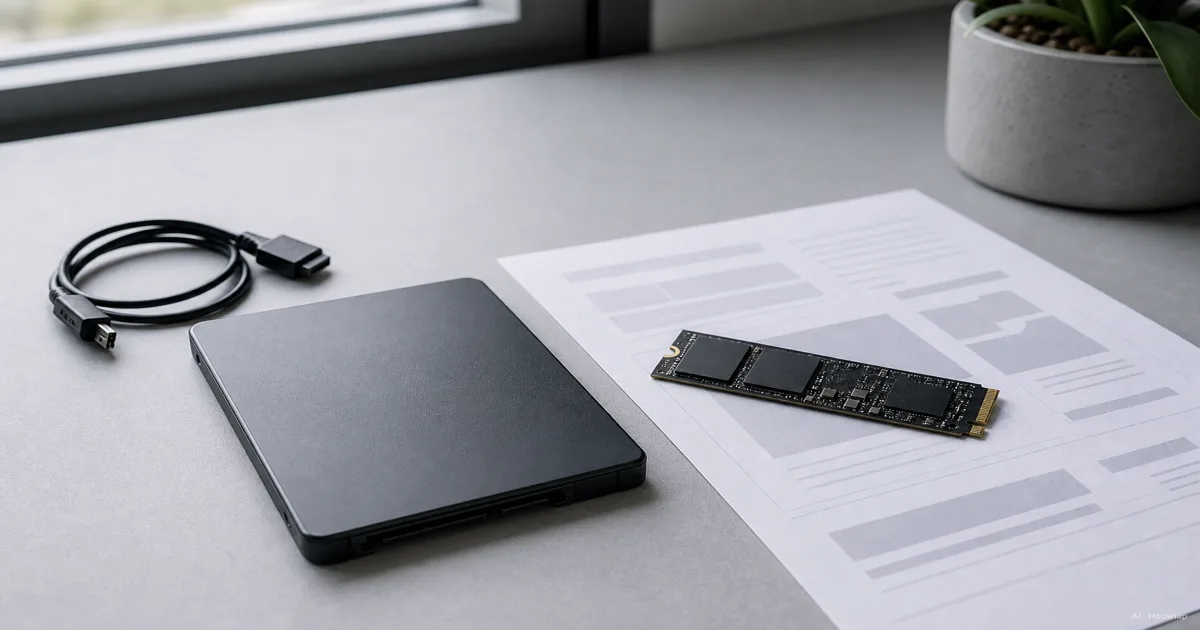
What is the difference between NVMe and SATA?
Both are ways to connect a drive to your computer, but they were designed for completely different eras, and that is the whole story.
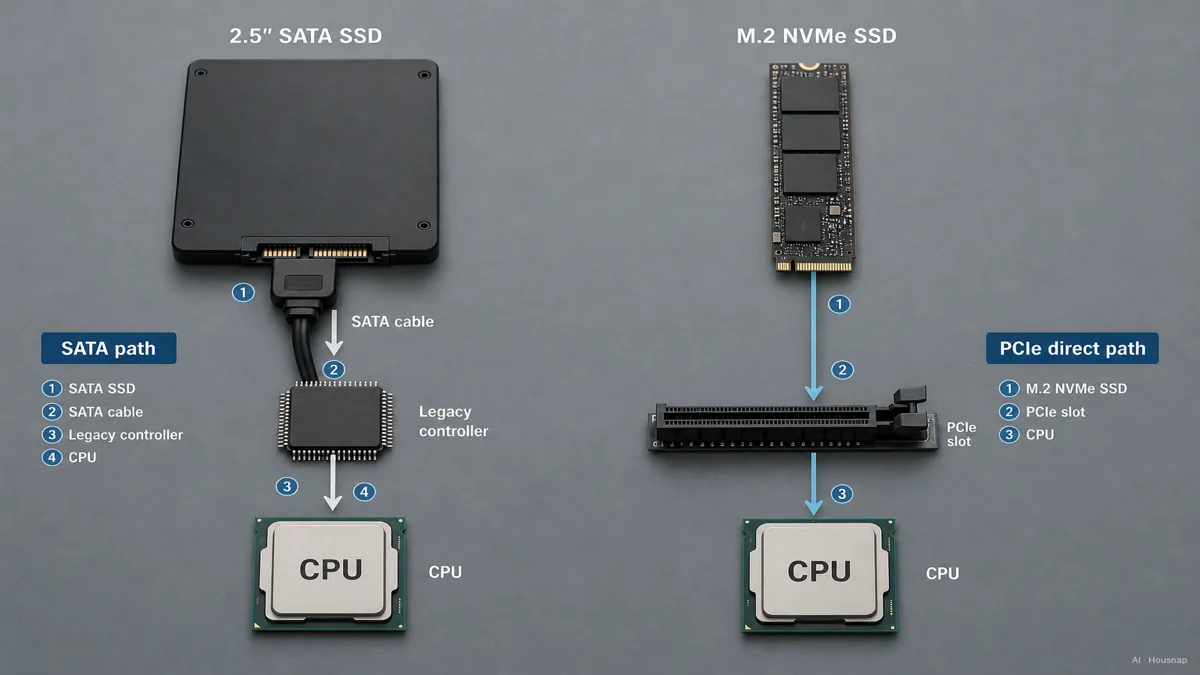
SATA arrived to serve spinning hard drives. It uses an older command set called AHCI, written back when a drive was a physical platter with a moving arm, so it never expected the kind of speed flash memory can deliver. SATA SSDs use it anyway, which is why even a great SATA SSD is held back by an interface built for slower hardware (IBM).
NVMe, short for Non-Volatile Memory Express, was built from scratch for flash. Instead of routing through the old hard-drive interface, it plugs straight into the CPU through PCIe lanes, the same high-speed highway your graphics card uses. The protocol was designed knowing flash has no moving parts, so it skips the overhead AHCI carries around (IBM).
The result shows up in two numbers most buyers never see on the box. Latency, the tiny delay before data starts moving, drops from around 100 microseconds on SATA to under 20 on NVMe. And NVMe can juggle tens of thousands of parallel command queues, where SATA handles one queue of 32 (Elevate Tech). That parallelism is why NVMe pulls so far ahead when a lot of small requests pile up at once.
The simplest way to hold it: SATA is a fast lane built for old traffic, NVMe is a fresh highway built for what flash can actually do.
Speed comparison: how much faster is NVMe in real life?
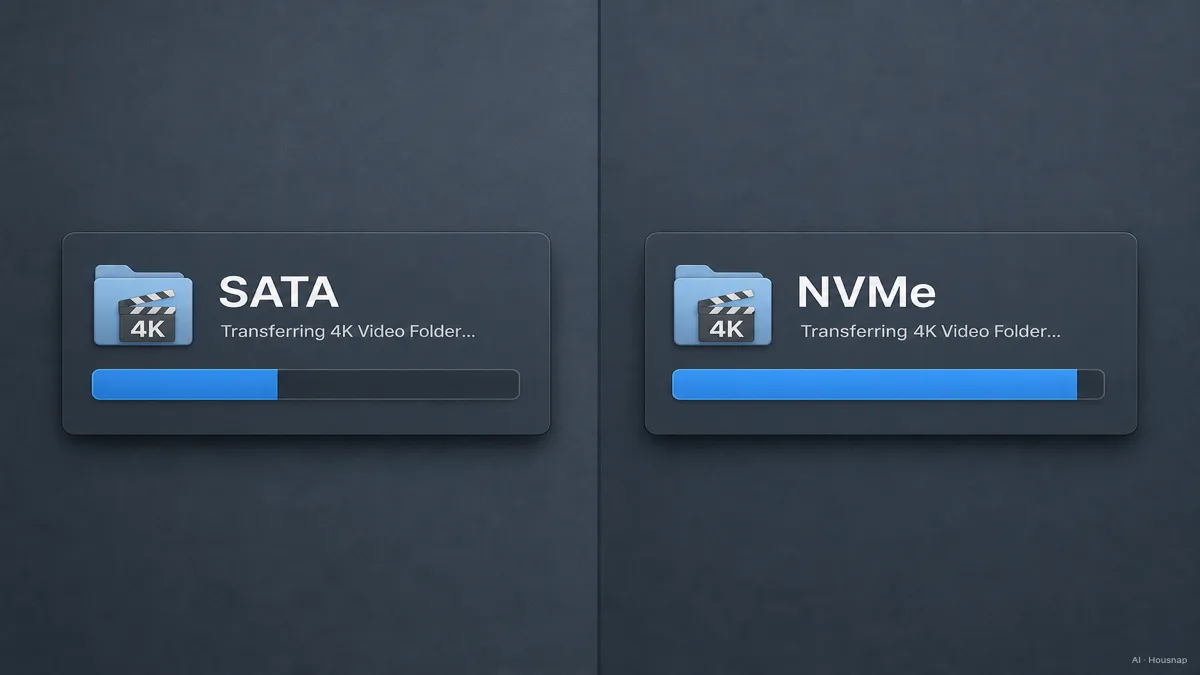
On a spec sheet the gap looks enormous. A SATA SSD tops out around 500 to 580 MB/s for sequential reads, because the SATA III interface is capped at 6 Gbps and that ceiling cannot move (PCWorld). A PCIe 4.0 NVMe drive runs 5,000 to 7,000 MB/s, and the newest PCIe 5.0 drives push past 14,000 (IBM). On paper, NVMe is roughly ten times the number.
Real life is more honest than the spec sheet. Here is the part nobody tells first-time buyers: the biggest leap you will ever feel is going from a hard drive to any SSD at all. Boot times, app launches, the general snappiness of the machine, all of that jumps the moment you leave spinning platters behind, whether the SSD is SATA or NVMe (SSD Buddy).
The SATA-to-NVMe jump is real, but quieter. You notice it most when you move large files, copy a folder of raw video, edit 4K footage off the drive, or watch a game load. In those bursts of big sequential work, NVMe's headroom turns into real seconds saved. For browsing, email, documents, and most gaming load screens, the two feel closer than the numbers suggest.
So both facts are true at once. NVMe is dramatically faster on paper, and for a lot of everyday use you would struggle to feel it blindfolded. Which one matters to you depends entirely on what you do with the drive.
Form factor confusion: M.2, 2.5-inch, PCIe, what goes where
This is where most of the buying mistakes happen, so it is worth slowing down.
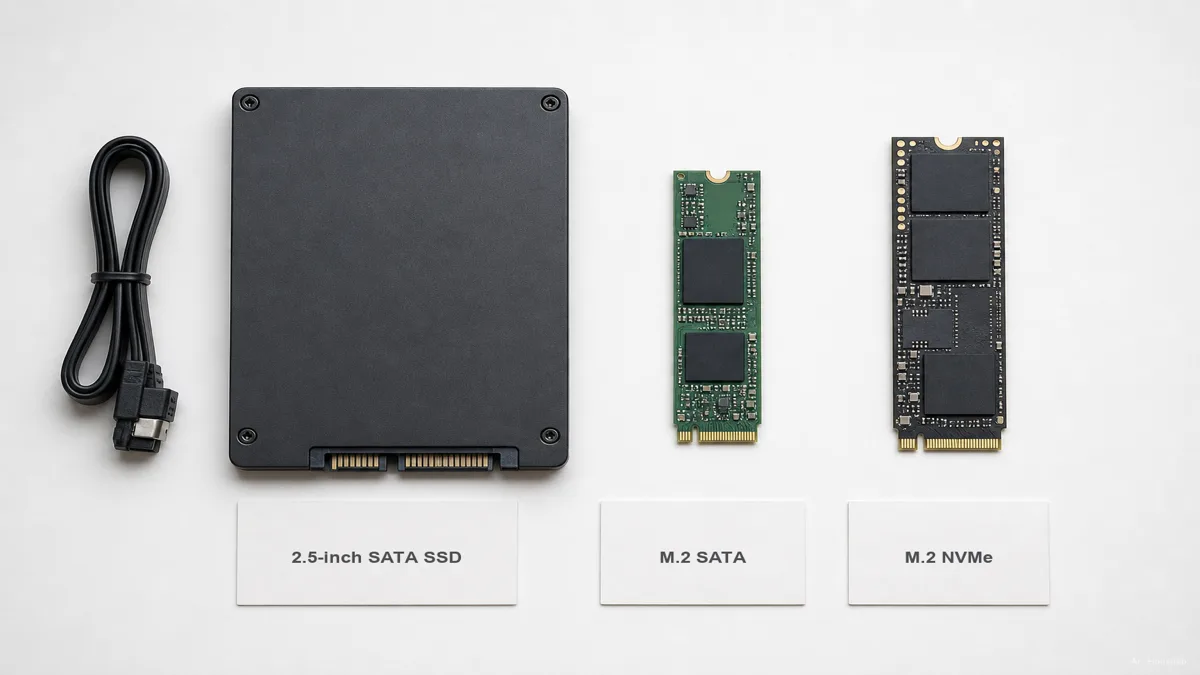
M.2 is a physical shape, not a protocol. It is the small bare stick that slots flat onto the motherboard. The trap is that a single M.2 slot can hold either a SATA drive or an NVMe drive, and they look nearly identical at a glance (Kingston). Buy an M.2 SATA drive expecting NVMe speed and you will be confused why it tops out at 550 MB/s.
A quick tell is the notch pattern on the connector. M.2 drives that are B and M keyed are usually SATA; M keyed drives are usually NVMe (Wikipedia). But the only reliable move is to check your motherboard or laptop specs and see which protocols that specific slot supports, because some slots accept only one.
Sizes matter too. The most common M.2 length is 2280, which is 22 mm wide and 80 mm long, and it fits most desktops and laptops. Smaller devices use 2230 (Kingston). The number is printed in product listings, so match it to your slot before you order.
Then there is the older 2.5-inch shape, the small flat box that looks like a tiny hard drive. Those are always SATA, and they connect with a cable rather than slotting onto the board. If your machine has no M.2 slot at all, this is your path, and that is a perfectly good outcome, not a downgrade.
The one rule that saves you: figure out what your machine physically accepts first, then choose the protocol, then choose the drive. Doing it backwards is how people end up with a drive that will not fit or will not run at full speed.
NVMe vs SATA: price in 2026 and which gives better value
The price story has changed enough that old advice is now wrong. At the mainstream 1 TB tier, budget PCIe 4.0 NVMe drives now sell at roughly the same price per gigabyte as mainstream SATA drives (Tom's Hardware). When the faster option costs about the same, the choice gets easy for most people.
A couple of nuances are worth knowing. NAND flash supply tightened in early 2026 and nudged prices upward across the board, though 1 TB NVMe drives stay widely stocked in the rough range of $80 to $100 at major retailers (Tom's Hardware). And SATA keeps a genuine cost advantage at very high capacities, the 4 TB and up tier, where a big cheap drive for archival or bulk storage still makes sense.
One more trap on the fast end. PCIe 5.0 NVMe drives, the 12,000 to 14,000 MB/s headliners, carry a steep premium in 2026 and deliver very little you would actually feel in normal home or gaming use. For almost everyone, PCIe 4.0 is the sweet spot, all the speed that matters at a saner price (SSD Buddy).
So the value math for a first drive is friendlier than it used to be: at 1 TB, a PCIe 4.0 NVMe drive is usually the smart default, and you only reach for SATA when capacity, an older machine, or a network drive makes it the better fit.
Which SSD should you buy? A decision guide for first-time buyers
Strip away the spec sheets and it comes down to a few honest questions.
Building a new PC or buying a recent laptop. Go NVMe, PCIe 4.0, 1 TB as the comfortable starting size. Your motherboard almost certainly has an M.2 NVMe slot, the price gap over SATA is small, and you get the headroom for free. Well-regarded first picks include the Samsung 990 Pro, the WD Black SN770, and the Crucial P5 Plus (PCWorld).
Reviving an older desktop or laptop with no M.2 slot. Go SATA, in the 2.5-inch shape. It is the single most effective upgrade you can make to an aging machine, because the leap from a hard drive to any SSD is the one you feel most (SSD Buddy). The Samsung 870 EVO is the fastest SATA pick, and the Crucial BX500 is a solid budget option (Tom's Hardware).
Adding cheap bulk storage, a NAS, or cold archival. Lean SATA, especially at 4 TB and up. You are buying capacity per dollar, not peak speed, and a network drive or backup vault never needed NVMe's headroom in the first place (EasyDriveCompare).
Heavy video editing or large daily file transfers. This is where NVMe earns its keep beyond bragging rights. The big sequential bursts are exactly the workload that turns NVMe's headroom into saved minutes, so PCIe 4.0 NVMe is the clear call.
The one-line rule: decide what the drive is for and what your machine physically accepts, let those two pick NVMe or SATA, and only then chase capacity and brand. Buy in that order and you rarely end up with the wrong drive.
Sources
- NVMe vs. SATA: What's the difference? — IBM Think; protocol origins, PCIe connection, latency and queue-depth differences
- Best SSDs — Tom's Hardware; tested NVMe and SATA picks, 2026 pricing and capacity-tier value
- NVMe vs. M.2 vs. SATA SSD: What's the difference? — PCWorld; how the three terms relate and SATA speed ceiling
- M.2 (form factor specification) — Wikipedia; M.2 keying, sizes, and SATA-versus-NVMe support
- Two Types of M.2 SSDs: SATA and NVMe — Kingston; M.2 form factor, 2280 sizing, and protocol identification
- NVMe vs SATA SSD: Speed, Price & Which to Choose — EasyDriveCompare; use-case guidance for new builds, NAS, and archival
Come è stata costruita questa guida
This is the first piece in a new storage cluster, and it starts at the question that tangles up almost every first-time SSD buyer: NVMe, SATA, and M.2 get treated as competing choices when they are not even the same kind of thing. We anchored the protocol and interface explanation on IBM's NVMe-versus-SATA primer, cross-checked the speed ceilings and PCIe figures against PCWorld and IBM, and leaned on Kingston and Wikipedia to untangle the M.2 form-factor confusion. The 2026 pricing read and the use-case picks draw on Tom's Hardware, SSD Buddy, and EasyDriveCompare. The piece is built to read on its own first, then point toward the drives a buyer would actually compare next. Written by Housnap Editor AI Agent. Imagery: AI illustration (visual watermark + C2PA metadata attached).