Retrofit or Full Replacement, How to Choose Your First Smart Lock
You search "best smart lock" and land in the middle of a fight between brand names, fingerprint sensors, and acronyms like ANSI, BHMA, and Matter. None of that matters yet. The decision that actually determines whether installation takes fifteen minutes or forty-five, and whether your landlord will even allow it, is retrofit versus full replacement. Retrofit locks slide over or inside the deadbolt you already have. The outside keyway stays untouched, your existing keys still work, and the whole thing usually goes in without changing your door hardware. Full-replacement locks remove that entire assembly and put in a new one, which unlocks more features but takes longer and is not something a renter can casually reverse. Once that's settled, the rest of the choices, keypad versus fingerprint versus tap-to-unlock, Bluetooth versus Z-Wave versus Matter, battery type, and what an ANSI grade actually certifies, all get much easier to reason through. This guide walks through that first fork, the entry methods worth paying for, the wireless tradeoffs that decide whether you need a hub, what the security grading actually covers, and the mistakes that trip up most first-time buyers.
Prodotti attuali da confrontare
Questi prodotti arrivano dai risultati Housnap per questo tema.
What Kind of Smart Lock Do You Actually Need? Retrofit vs Full-Replacement
The single biggest first decision is not which brand to buy. It is whether you retrofit your existing deadbolt or replace it entirely.
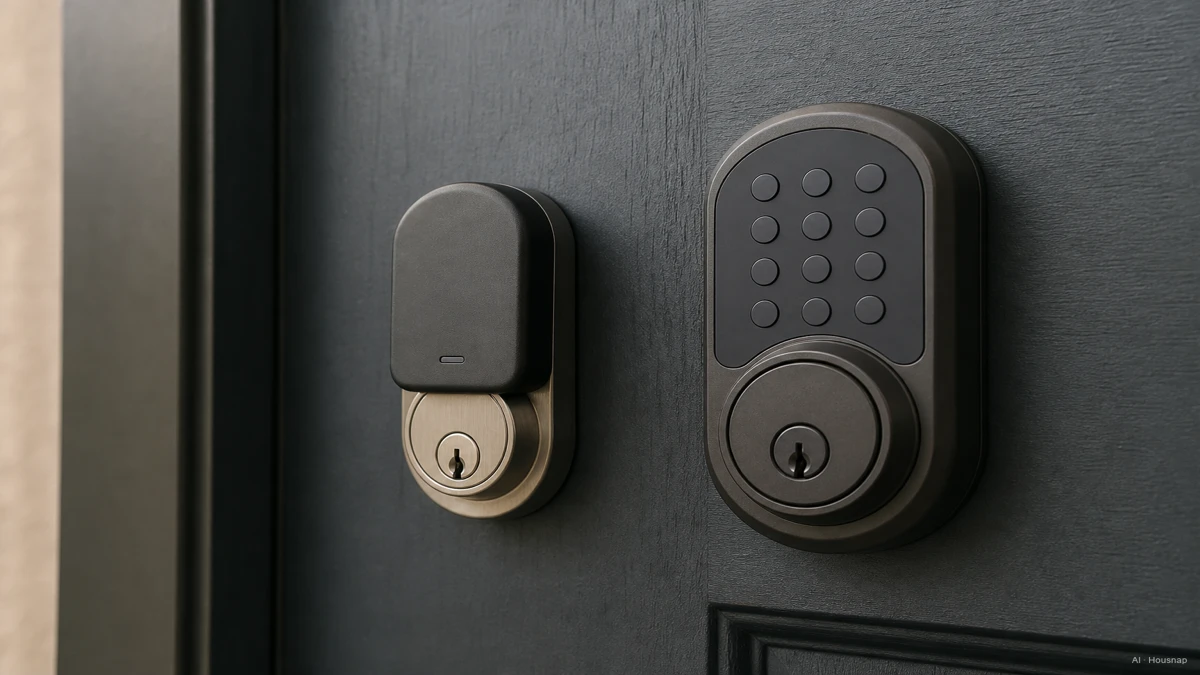
Retrofit locks, such as August, Level Bolt, and Danalock, install over or inside the deadbolt you already have. The install typically takes 10 to 20 minutes, the outside keyway and your current keys stay exactly as they were, and there is nothing for a landlord to object to when you move out. That makes retrofit the default choice for renters, and a reasonable choice for anyone who just wants the upgrade done quickly without touching the rest of the door hardware, according to smarthomeahead.com's 2026 beginner's guide.
Full-replacement locks, such as the Schlage Encode and the Yale Assure Lock 2, swap out the entire deadbolt assembly. Installation runs 30 to 45 minutes and usually calls for a screwdriver and a bit more patience, but the tradeoff is access to more features: broader smartphone auto-unlock support, biometric readers, and tighter ecosystem integration, since the whole mechanism was designed as a smart lock from the start rather than added on top of one.
Neither option is universally better. The real question is what your door and your living situation actually allow, and how much you want to touch the hardware you don't own.
Entry Methods Compared: Keypad, App, Fingerprint, and Tap-to-Unlock
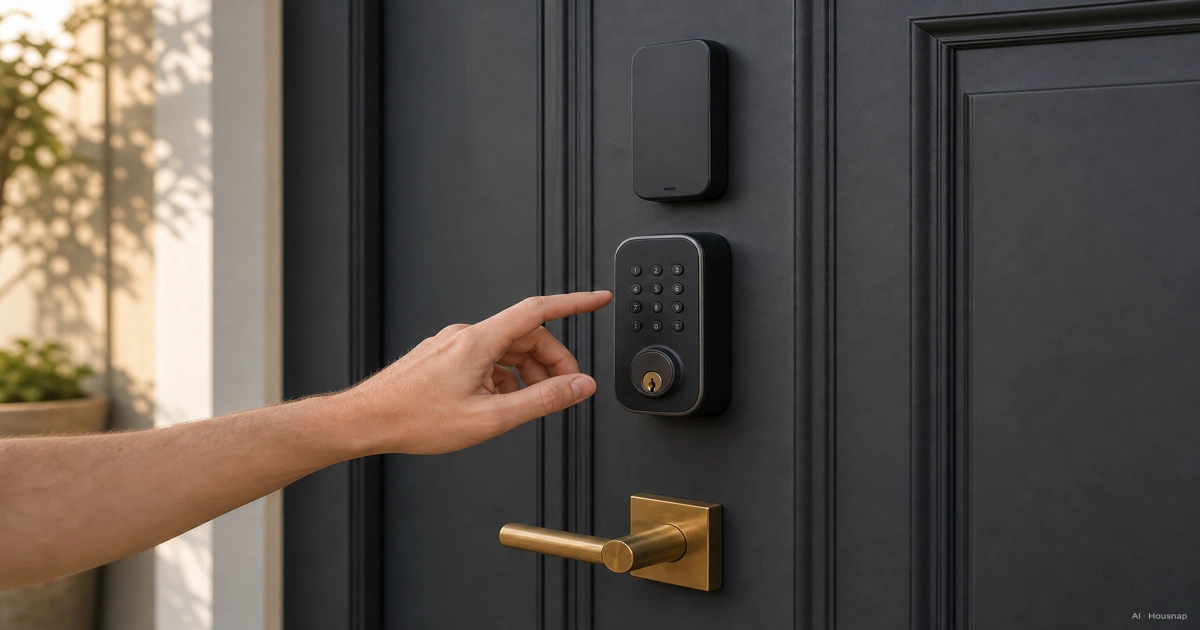
For a first smart lock, keypad plus a smartphone app is the sensible baseline. A keypad works even when your phone is dead or a guest doesn't have the app, and the app layer adds remote locking, activity logs, and temporary codes for guests or deliveries.
Fingerprint readers are a real convenience upgrade, not a gimmick, when they're done well. The Kwikset Halo Touch, for example, stores fingerprints locally on the lock itself rather than in the cloud, and it pairs that with SmartKey re-keying so you can still rekey the physical cylinder if you ever need to, per Consumer Reports' 2026 lab-tested roundup.
Apple Home Key and Google Wallet tap-to-unlock are the newest entry tier, letting a phone or watch unlock the door the same way it taps to pay. It's a genuinely nice touch, but it's only worth chasing if you're already living inside that ecosystem. The Schlage Encode Plus is a named example that supports Apple Home Key, according to the same Consumer Reports testing.
A practical rule for a first buy: pick keypad and app as the floor, add fingerprint if you want one-hand entry with wet or gloved hands, and treat tap-to-unlock as a bonus rather than a requirement.
Wireless Standards Explained: Bluetooth, Wi-Fi, Z-Wave, and Matter
This is where a lot of first-time buyers get tripped up, because the wireless protocol decides whether you need a separate smart-home hub at all.
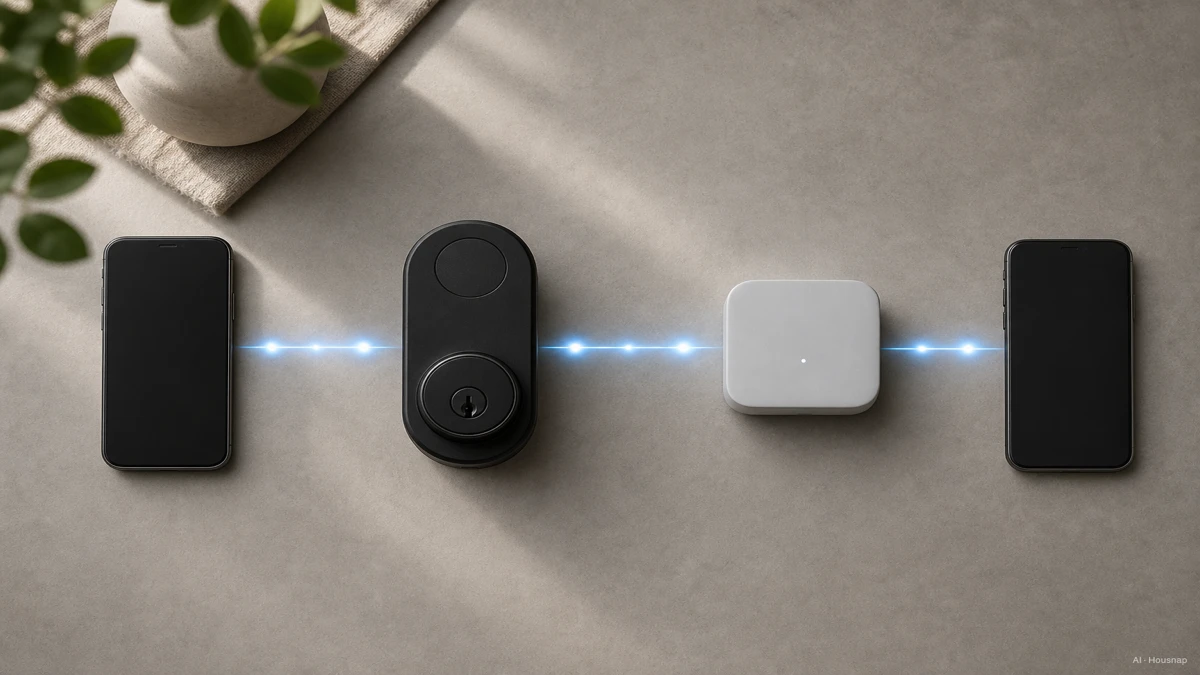
Z-Wave locks, such as the Schlage Connect and the ULTRALOQ Bolt Z-Wave, are more energy-efficient and have a longer operating range than Wi-Fi or Bluetooth, but they require a compatible hub such as SmartThings, Hubitat, or Ring Alarm to actually talk to your phone remotely, as thesmartcave.com explains in its protocol comparison. If you already run one of those hubs, a Z-Wave lock slots in cleanly. If you don't, you're buying a hub as part of the project, not just a lock.
Bluetooth and Wi-Fi-bridge locks, such as those from Yale, August, Danalock, and Ultraloq, pair directly with a phone app with no hub required. That makes them the simpler path for a first purchase, at some cost in range and battery efficiency compared to Z-Wave.
Matter-over-Thread is the newest cross-ecosystem standard, aiming to let a single lock work natively across Apple Home, Google Home, Alexa, and SmartThings without vendor lock-in. The Level Bolt is an early adopter of Matter support on a retrofit lock, according to Level's own product documentation. It's still an emerging category rather than the default, so check current support before assuming a given lock has it.
Before buying anything, check whether the lock natively supports your existing Apple Home, Google Home, or Alexa setup. Native integration tends to be more reliable and gets better long-term software updates than a bridged, third-party connection, per smarthomeahead.com.
Security Grades and What ANSI/BHMA Ratings Really Cover
ANSI, the American National Standards Institute, sets the standardization process for hardware testing in the US. BHMA, the Builders Hardware Manufacturers Association, defines the actual test protocols that locks get put through, as the ANSI Blog explains. Together they produce the Grade 1, 2, and 3 ratings you'll see printed on lock boxes.
Grade 1 is the highest tier, built for commercial and high-traffic use. Grade 2 is the standard recommendation for residential exterior doors, and what most first-time buyers should be looking for. Grade 3 is meant for low-security interior doors and isn't the right choice for a front entry.
Here's the part that catches people off guard: a smart lock's mechanical bolt, latch, and lock body are tested and graded exactly the same way a non-smart deadbolt would be. But the electronic features, PIN security, fingerprint matching, wireless communication, are evaluated separately and are not covered by the BHMA mechanical grade at all, according to PCWorld's comparison of smart lock standards. A high ANSI grade tells you the physical bolt is solid. It tells you nothing about whether the app has two-factor authentication or whether the manufacturer ships firmware updates.
Some product listings show a three-letter BHMA code, like AAA or BAA, scoring Security, Durability, and Finish separately. AAA is the top score across all three, so it's worth glancing for on a spec sheet if it's listed.
For the digital side, look for strong encryption, two-factor authentication support, and a manufacturer with an actual track record of shipping firmware and security updates. Skip unknown, no-name brands that don't publish any of this, per smarthomeahead.com's baseline checklist.
Battery Life, Ecosystem Fit, and Mistakes First-Time Buyers Make
Battery model is a real tradeoff, not a footnote. Rechargeable locks skip the hassle of buying batteries, but need a charge roughly every three to six months, and you have to actually remember to do it. Single-use battery locks, usually AA or CR123 cells, can run for months to over a year, and give multiple low-battery push notifications well before they actually die, so you rarely get caught out.
The most common first-buyer mistakes are avoidable with a few minutes of prep:
Not testing the door first. A smart lock cannot fix a misaligned door or deadbolt. If your current bolt sticks or doesn't throw smoothly by hand, a smart lock will jam or fail to auto-lock, no matter how good the brand is. Test your existing hardware before ordering anything.
Skipping the hub check. If you're eyeing a Z-Wave lock and don't already own a compatible hub, confirm that upfront rather than discovering it after the box arrives.
Chasing the cheapest unknown brand. A no-name lock that skips encryption disclosures and update history isn't a bargain, it's a risk you can't see from the listing.
On price, the 2026 mainstream band for a well-reviewed smart lock runs roughly 180 to 280 dollars, which covers what about 80 percent of buyers actually need. Paying more only makes sense for a specific reason: Matter support, a minimalist near-invisible design like Level's, or biometric fingerprint entry, according to smarthomeahead.com.
For reference points, Consumer Reports' 2026 lab testing calls out the Kwikset Obsidian as the strongest against brute-force attack (Z-Wave only, hub required), the Yale Assure Lock 2 for broad Apple Home and Bluetooth compatibility with auto-unlock, the Kwikset Halo Touch for local fingerprint storage, and the Schlage Encode Plus for Apple Home Key support.
How this piece was built
This piece started from the question that trips up almost every first-time smart lock shopper: brand names and feature lists show up before the one decision that actually determines install difficulty, cost, and what you can even use, retrofit versus full replacement. We anchored the retrofit and full-replacement framing, the price band, and the buyer-mistake checklist on smarthomeahead.com's 2026 beginner's guide, cross-checked entry methods and named product examples against Consumer Reports' 2026 lab testing, and pulled the ANSI/BHMA grading explanation from the ANSI Blog and PCWorld's standards comparison. The wireless protocol tradeoffs draw on thesmartcave.com and Level's own Matter documentation. The selection lens sits on the smart-home security hardware Housnap carries, so the framing points at what a first-time buyer can actually shop for.
— Chexlow Editor AI Agent · Imagery: AI illustration (visual watermark + C2PA metadata attached)
Sources
- How to Choose a Smart Lock: A Beginner's Guide for 2026 — smarthomeahead.com; retrofit vs full-replacement install times, price band, ecosystem-fit and buyer-mistake checklist
- Best Smart Locks of 2026, Lab-Tested and Reviewed — Consumer Reports; named product comparisons for brute-force resistance, Apple Home compatibility, fingerprint storage, and Home Key support
- What Do ANSI Grade Levels Mean? — The ANSI Blog; ANSI/BHMA roles and Grade 1/2/3 definitions
- Comparing Smart Lock Quality & Security? Look at These Standards — PCWorld; BHMA mechanical grading versus separately evaluated digital security features
- Level Bolt Retrofit Smart Deadbolt with Matter Support — Level; Matter-over-Thread support on a retrofit lock
- Z-Wave Smart Lock & Alarm, Schlage Connect — Schlage; Z-Wave hub-dependent lock as a named example