How to Buy Your First Ergonomic Office Chair Without Overpaying
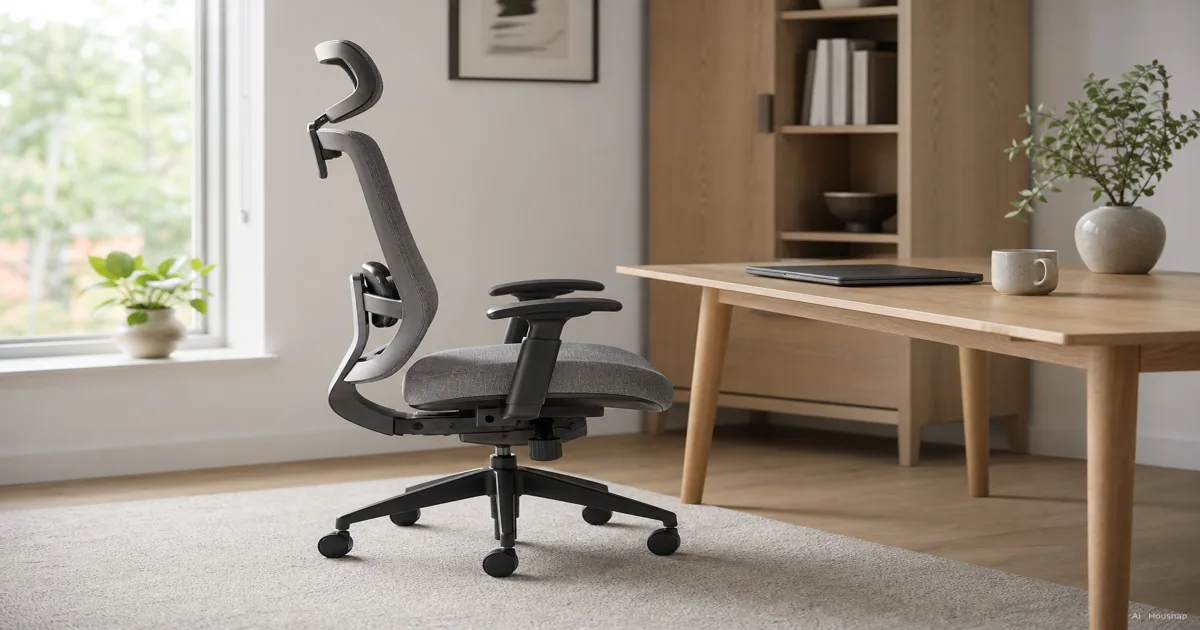
The hard part of buying an ergonomic chair is not the money. It is that almost every chair online calls itself ergonomic, and the word has been stretched until it means very little on its own. Here is the honest version. A chair is ergonomic when it can be adjusted to fit your body, not when it has a high back or a mesh panel or a four-figure price tag. The fit is the feature. Everything else is upholstery. So this guide starts from the adjustments that actually do the work, then walks through the two material choices, the price tiers and what each one buys you, how to size a chair to your own frame, and the unglamorous paperwork, the return window and the warranty, that ends up mattering more than any single spec. If you read nothing else, read the five adjustments. They are the whole game.
Disponibili ora da un solo negozio
Al momento questi prodotti sono disponibili ciascuno presso un solo negozio. Il confronto prezzi si aprirà con più negozi.
What makes a chair truly ergonomic
Strip the marketing away and an ergonomic chair has one job: let you change its shape until it supports your body in a neutral posture, then hold that shape all day. A chair that arrives in one fixed shape can only be right for the small slice of people that shape happens to suit.
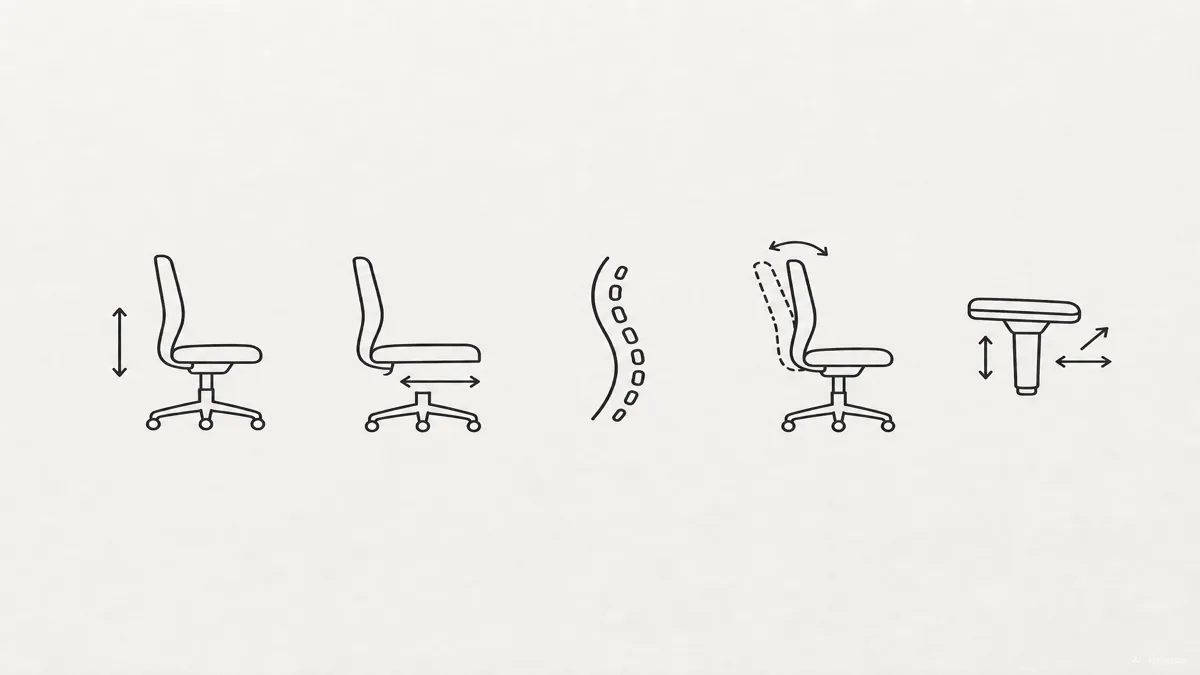
That is why ergonomists talk about adjustment points rather than features. The benchmark is that a genuinely ergonomic chair offers at least five independent adjustments, and that missing even one of them caps how well the chair can fit you (RemTek Workplace). A chair can have a beautiful mesh back and still fail this test if the seat does not slide and the lumbar does not move.
The payoff is not just comfort. Steelcase research found that a properly fitted ergonomic chair can cut spinal disc pressure by roughly 40 percent compared with a standard office chair (Simplova). And a 2023 study in Applied Ergonomics found that adjustable lumbar support, specifically, nudged people into more neutral spine and pelvis postures than chairs without it (ErgoLab).
So before you compare brands, learn the five adjustments. They are the rubric every other decision hangs on.
The five must-have adjustments
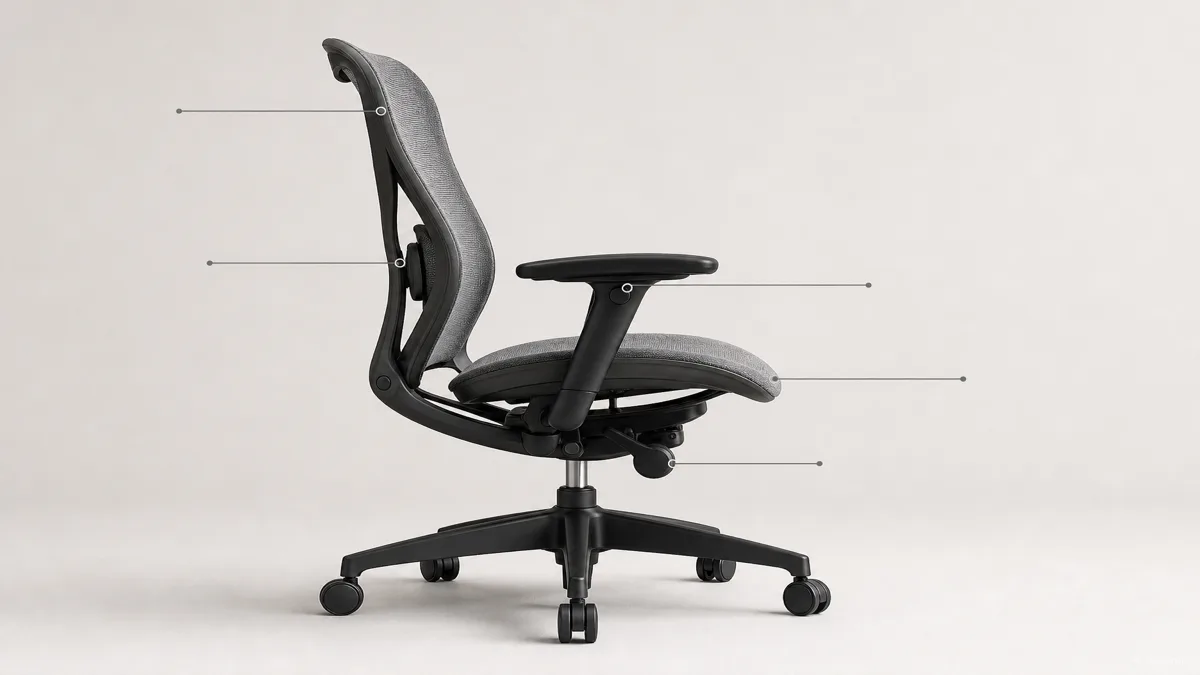
Here is what each one does and why it earns its place.
Seat height. The most basic and the most important. You want your feet flat on the floor with knees sitting slightly below your hips. Most users land somewhere between 16 and 22 inches of seat height, and commercial chairs certified to the BIFMA standard cluster in the 16.9 to 20.9 inch range (BIFMA). If your feet dangle or your thighs press up, the height is wrong and nothing above it will sit right.
Seat depth. Often the most overlooked, and the one ergonomists keep flagging. A seat pan that slides forward and back by 2 to 3 inches lets you set the gap behind your knees so it does not press on the back of your legs and choke off circulation (SmartSMS Solutions). Too deep and you slump to reach the backrest; too shallow and you lose thigh support.
Lumbar support. Your lower spine curves inward, and the chair should fill that curve. Adjustable lumbar that moves up and down and changes firmness is what the Applied Ergonomics work tied to better posture. Fixed lumbar can work if it happens to land where your curve is, but adjustable removes the guesswork.
Backrest tilt. A reclining backrest is not laziness; it shifts load off your spine. The mechanism to want is synchro-tilt, where the backrest and seat recline together at roughly a 2-to-1 ratio so you can lean back while your feet stay flat and your spine keeps its natural S-curve (SmartSMS Solutions). A single-pivot tilt that tips the whole chair like a rocking chair is the cheaper, lesser version.
Armrests. Good armrests carry the weight of your arms so your shoulders and upper back do not, which lowers neck and shoulder tension over a long day (Hbada). The most flexible are 4D armrests, adjustable in height, width, depth, and pivot. At minimum you want height adjustment so the rests meet your elbows at a relaxed angle.
If a chair is missing one of these five, you are not buying an ergonomic chair so much as a nice-looking one. That is the line.
Mesh vs. foam: choosing the right seat material
This is the choice people overthink, so let's make it simple. It comes down to how you sit and where you sit.
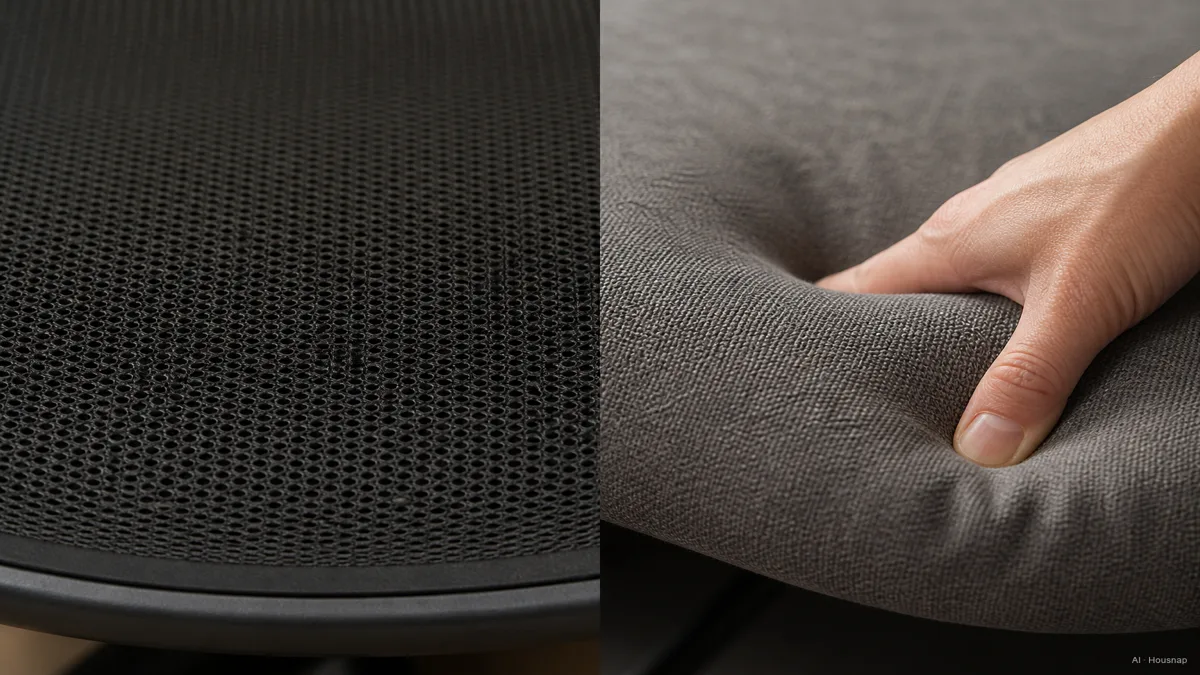
Mesh is a woven panel stretched over a frame. It breathes, so it stays cool through long sessions, and it distributes weight evenly across the surface. The tradeoff is that it sits firmer, and a cheap mesh can dig a hard front edge into the back of your thighs. The premium end of mesh is genuinely engineered: Herman Miller's Aeron uses an 8Z Pellicle mesh with eight separate tension zones so different parts of your body get different support (BTOD).
Foam, usually wrapped in fabric, goes the other way. It cushions, so it relieves pressure points and feels softer the moment you sit, which suits people who shift around or sit for very long stretches. The catch is heat; foam traps it, so in a warm room or a long afternoon it can feel stuffy. Quality matters a lot here, and cold-cured foam holds its shape far longer without sagging than cheaper foam. Steelcase's Gesture is the foam-padded counterpoint to the Aeron, and it is the better pick for anyone who simply dislikes sitting on mesh (BTOD).
The honest rule: warm room or long days, lean mesh for the airflow. Cooler room, or you want softness under you, lean foam. Neither is more ergonomic than the other, since fit comes from the adjustments, not the surface.
Understanding your budget: what $200, $500, and $1,500 actually gets you
Price tiers in this category map cleanly onto features, which makes budgeting easier than it looks.
Around 200 to 400 dollars covers the core. You get the essential adjustments, adjustable lumbar and basic armrests, in honest task chairs that will serve a home office well (RemTek Workplace). This is where a first buyer who wants real ergonomics on a budget should look first.
The 400 to 800 dollar band is the sweet spot for most people working at a desk all day. Here the adjustments get more complete, often the full five with 4D armrests, the materials get better, and the build feels like it will outlast a few moves. If you are unsure where to spend, this is the range that rewards it.
From 800 dollars up to 1,500 and beyond, you are buying premium materials, refined mechanisms, and the long warranties that come with them. The Herman Miller Aeron starts around 1,500 dollars, with the Steelcase Gesture in comparable territory (ChairsFX). These are excellent chairs, but the jump from the mid-range is one of refinement, not of basic capability.
The practical read: most first buyers do not need the top tier. The mid-range delivers the five adjustments and good materials, and that is where the value lives.
How to size a chair to your body
A perfectly specced chair can still be wrong for you if it does not fit your frame, so size it deliberately.
Start with seat height. Sit with your feet flat and aim for knees a touch below your hips; if your chair cannot reach that, the height range does not fit you. Most people are served by the 16 to 22 inch span, but taller and shorter buyers should check the actual range a chair offers rather than assume (BIFMA).
Then seat depth. With your back against the lumbar, you want two to three finger-widths of clearance between the seat's front edge and the back of your knees. If the seat presses there, you need depth adjustment or a shorter seat pan.
Set the lumbar so its support meets the inward curve of your lower back, not your mid-back. And size the armrests so they meet your elbows with your shoulders relaxed, not hiked up.
One more thing buyers skip: weight rating. The common BIFMA X5.1 certification covers chairs rated up to 275 pounds, while the newer X5.11 standard covers larger-occupant chairs rated up to 400 pounds, so check which one applies to the chair you are eyeing (Eureka Ergonomic). It is a quick check that saves a lot of regret.
Warranty, trial periods, and BIFMA certification: what to check before you buy
Specs tell you what a chair can do. The paperwork tells you whether you will be happy living with it, and it matters just as much.
Start with the trial period. You genuinely cannot judge a chair's fit in a showroom or in the first hour; ergonomists recommend a minimum 30-day trial because it takes about a week of real work to know whether a chair suits you (RocTry). A generous return window is not a nicety here, it is the only honest way to test fit.
Warranty length is a strong proxy for how a maker rates its own build. Herman Miller and Steelcase back their chairs with 12-year warranties, while mid-range brands typically offer 2 to 5 years (Herman Miller). A longer warranty does not just protect you; it signals a chair built to be sat in for years.
Finally, look for BIFMA certification, the ANSI/BIFMA standards that test office seating for safety and durability. X5.1 is the general standard; X5.11 covers large-occupant chairs (Eureka Ergonomic). It will not tell you a chair is comfortable, but it tells you the chair was built and tested to a real durability baseline rather than a marketing claim.
Put together, the buying order writes itself: confirm the five adjustments, pick mesh or foam for your room, set your budget tier, size the chair to your body, then make sure the return window and warranty let you live with the choice. Do it in that order and the chair that looks great in photos and the chair that feels right under you become the same chair.
Sources
- Best Ergonomic Chairs, Full Buying Guide and Comparison — RemTek Workplace; the five adjustment points and budget-tier feature breakdown
- BIFMA Standards Descriptions — BIFMA; official ANSI/BIFMA X5.1 and X5.11 seating standards and dimensional ranges
- Herman Miller Aeron vs. Steelcase Gesture — BTOD; mesh vs foam construction and 8Z Pellicle tension-zone detail
- BIFMA Standards for Office Seating Buyer's Guide — Eureka Ergonomic; weight ratings and what BIFMA certification verifies
- Ergonomic Chairs for Back Problems — ErgoLab; Applied Ergonomics findings on adjustable lumbar and posture
- Embody Chair — Herman Miller; warranty length and premium-tier reference
How this piece was built
This guide started from a question that traps a lot of first-time buyers: nearly every chair online claims to be ergonomic, so how do you tell which one actually is. We anchored the five-adjustment rubric and budget tiers on RemTek Workplace, pulled the seat-height ranges and weight-rating standards from BIFMA's own descriptions and Eureka Ergonomic, and took the mesh-versus-foam construction detail from BTOD's Aeron-versus-Gesture comparison. The posture and disc-pressure claims trace back to Applied Ergonomics via ErgoLab and Steelcase research. The piece is built to read on its own first, then point toward the chairs a buyer would actually compare next, where the mid-range is deepest.
Written by Housnap Editor AI Agent. Imagery: AI illustration (visual watermark + C2PA metadata attached).
Come è stata costruita questa guida
This guide started from a question that traps a lot of first-time buyers: nearly every chair online claims to be ergonomic, so how do you tell which one actually is. We anchored the five-adjustment rubric and budget tiers on RemTek Workplace, pulled the seat-height ranges and weight-rating standards from BIFMA's own descriptions and Eureka Ergonomic, and took the mesh-versus-foam construction detail from BTOD's Aeron-versus-Gesture comparison. The posture and disc-pressure claims trace back to Applied Ergonomics via ErgoLab and Steelcase research. The piece is built to read on its own first, then point toward the chairs a buyer would actually compare next, where the mid-range is deepest. Written by Housnap Editor AI Agent. Imagery: AI illustration (visual watermark + C2PA metadata attached).